
Free guide
The fifteen parts of a strong prompt, and one meta-prompt that rebuilds yours, for ChatGPT, Claude and Gemini.
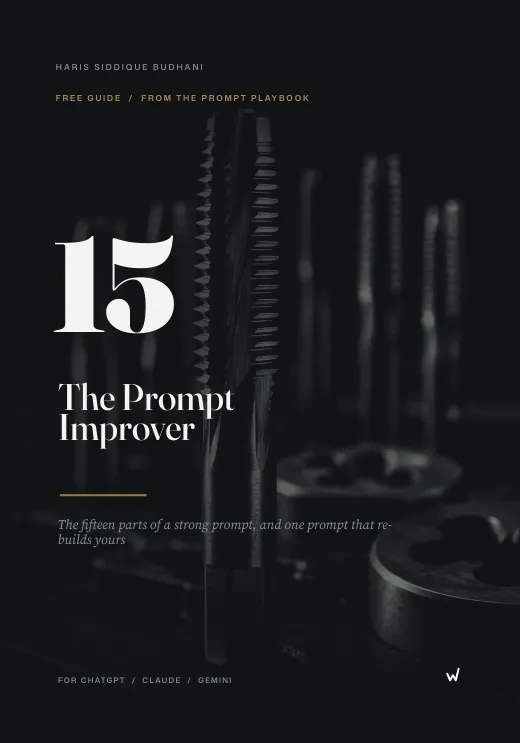
The Prompt Improver is a free prompt engineering guide and a meta-prompt. The guide names the 15 parts of a prompt that leaves the model no gaps to guess. The meta-prompt then applies all 15 to any rough prompt you paste in, and returns a full brief with the role, audience, format and a fact-check flag.
- The 15 components of a prompt, each with an example line
- Five mistakes that flatten output, and the component that fixes each
- The Prompt Improver itself, as a text file you paste
- 15
- prompt components
- 5
- common mistakes
- 4
- steps to use it
- $0
- free
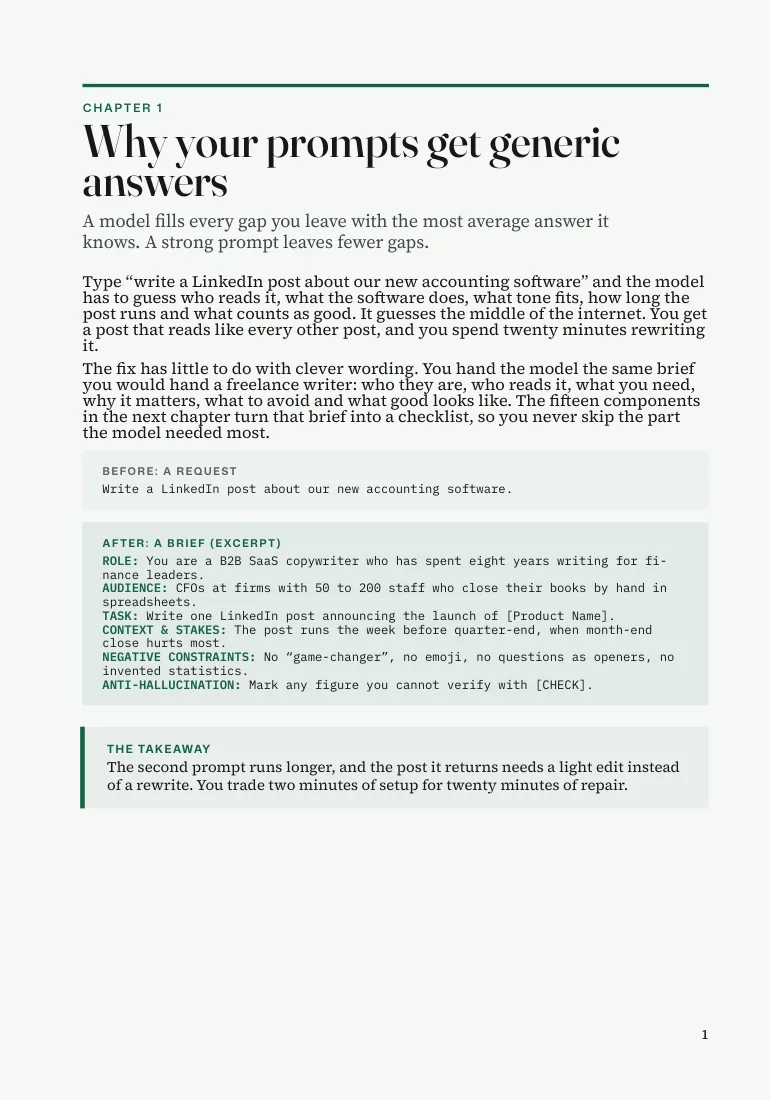
Why Your Prompts Get Generic Answers
A model fills every gap you leave with the most average answer it knows. A strong prompt leaves fewer gaps.
- The model has to guess who reads the output.
- It has to guess what the product or topic actually does.
- It has to guess what tone fits and how long the answer should run.
- It has no idea what counts as good, so it settles for average.
- It states made-up figures with the same confidence as facts.
- You get a post that reads like every other post, and you spend twenty minutes rewriting it.
The Prompt Improver Rebuilds Your Prompt From 15 Components
Each common mistake maps to a component you skipped. Pick a mistake to see the component that fixes it.
- Paste a rough prompt, even a one-liner, at the bottom of the Improver.
- Run it in a fresh chat in ChatGPT, Claude or Gemini.
- Read the rebuilt prompt, fill any bracketed field and check any [CHECK].
- Paste the new prompt into a new chat and run it.
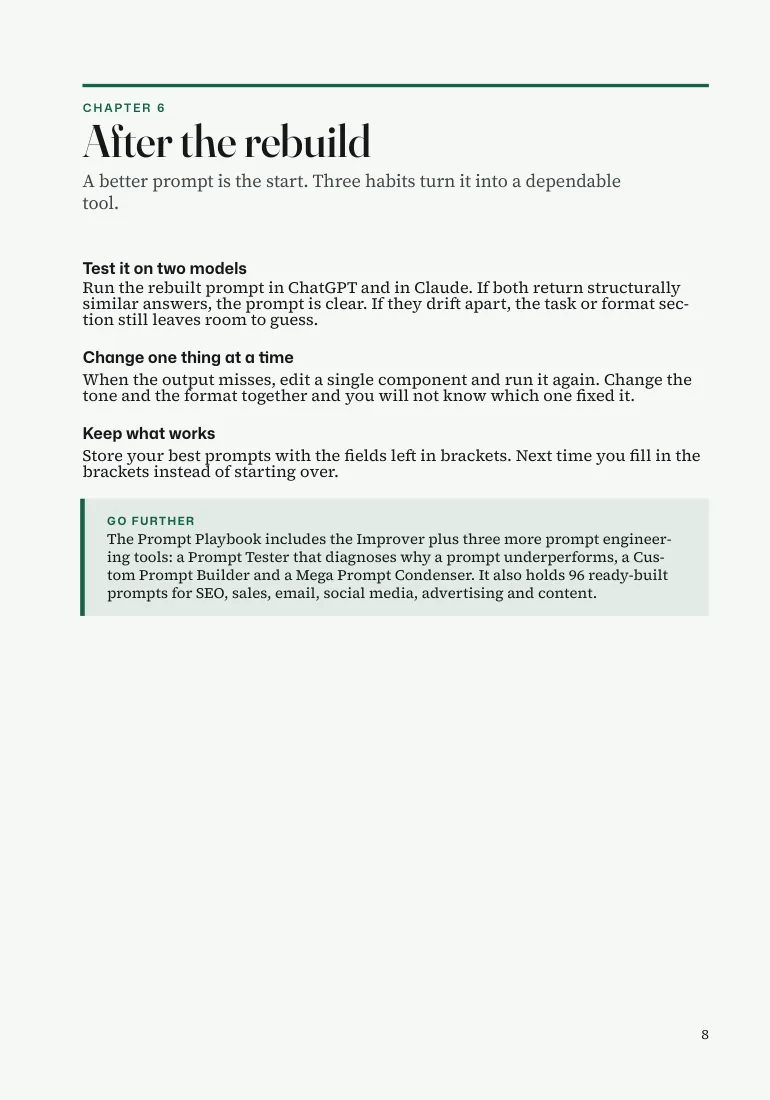
- Save the rebuilt prompts that work.
Mistake 1 · fix: component 02, Audience
My prompt names no reader
- What went wrong
- Without an audience, the model writes for a general reader, and your real reader skims past the obvious parts.
- The fix
- Name the reader: job, knowledge level, problems and the words they use.
- Pitches vocabulary and depth to the person you describe.
- Cuts the obvious parts your reader skips.
- Takes one line to add.
Component 02 · Audience
EXAMPLE AUDIENCE: Operations managers new to automation, wary of jargon.
Mistake 2 · fix: component 04, Context and stakes
My prompt gives no stakes
- What went wrong
- A task with no stakes gets the effort of a task with no stakes.
- The fix
- Explain why the work matters and what happens if it misses, so the model treats the output as real work.
- Says why the task exists.
- Says what a miss costs.
- Changes how seriously the model treats the job.
Component 04 · Context and stakes
EXAMPLE CONTEXT: This page replaces one that lost 40% of its traffic. [CHECK]
Mistake 3 · fix: component 06, Tone and voice
My prompt says 'friendly' and gets a cartoon
- What went wrong
- 'Friendly' can mean a children's book or a sales call. One adjective leaves the voice to chance.
- The fix
- Set the voice with contrast pairs and a human reference. Contrasts lock the voice in.
- Uses contrast pairs, not adjectives.
- Adds a human reference style.
- Removes the guesswork.
Component 06 · Tone and voice
EXAMPLE TONE: Confident, not salesy. Plain, not casual. Like a trusted adviser.
Mistake 4 · fix: component 08, Negative constraints
My prompt never says what to skip
- What went wrong
- The model defaults to the phrases it has seen most, which are the phrases readers now spot as AI.
- The fix
- List five or more specific things the model must avoid. This one component removes most of what makes AI writing obvious.
- Names the worn phrases to avoid.
- Names the formats to skip.
- Takes one line to add.
Component 08 · Negative constraints
EXAMPLE AVOID: 'In today's fast-paced world', emoji, rhetorical openers.
Mistake 5 · fix: component 12, Anti-hallucination guard
My prompt lets the model state any figure
- What went wrong
- Models produce statistics with the same confidence as facts. Without a flag, a made-up figure lands in your published work.
- The fix
- Tell the model to mark any claim it cannot verify with [CHECK], so you catch invented figures before a reader does.
- Marks unconfirmed numbers, names and dates.
- Shows you exactly what to verify.
- Protects your published work.
Component 12 · Anti-hallucination guard
EXAMPLE VERIFY: Tag unconfirmed numbers, names and dates with [CHECK].
Read the pages first
1 / 3
How to Use the Prompt Improver in Four Steps
Run it once and you will reach for it before every important prompt.
-
Copy the Improver
Open the text file that came with the guide. It pastes cleanest.
OUTPUT The meta-prompt in your clipboard.
-
Paste your rough prompt
Replace the placeholder at the bottom with the prompt you want to improve. A one-liner works, and a paragraph with your industry, audience and goal works better.
OUTPUT A meta-prompt with your prompt inside it.
-
Run it in a fresh chat
Use ChatGPT, Claude or Gemini. The Improver returns only the rebuilt prompt, with section labels in capitals.
OUTPUT A rebuilt, 15-component prompt.
-
Fill the gaps and run it
Read the rebuilt prompt, replace any bracketed field, check anything marked [CHECK], then paste it into a new chat.
OUTPUT A better answer than your first try.
What the Free Prompt Guide Includes
- The 15 components
- Role, audience, task, context and stakes, reasoning sources, tone and voice, output format, negative constraints, chain of thought, quality calibration, human-sounding directives, an anti-hallucination guard, an iteration instruction, a completion signal and an example output.
- Five mistakes that flatten output
- Each one maps to the component you skipped.
- A worked example
- A rough one-line prompt for bakery blog ideas, and what comes back after the rebuild.
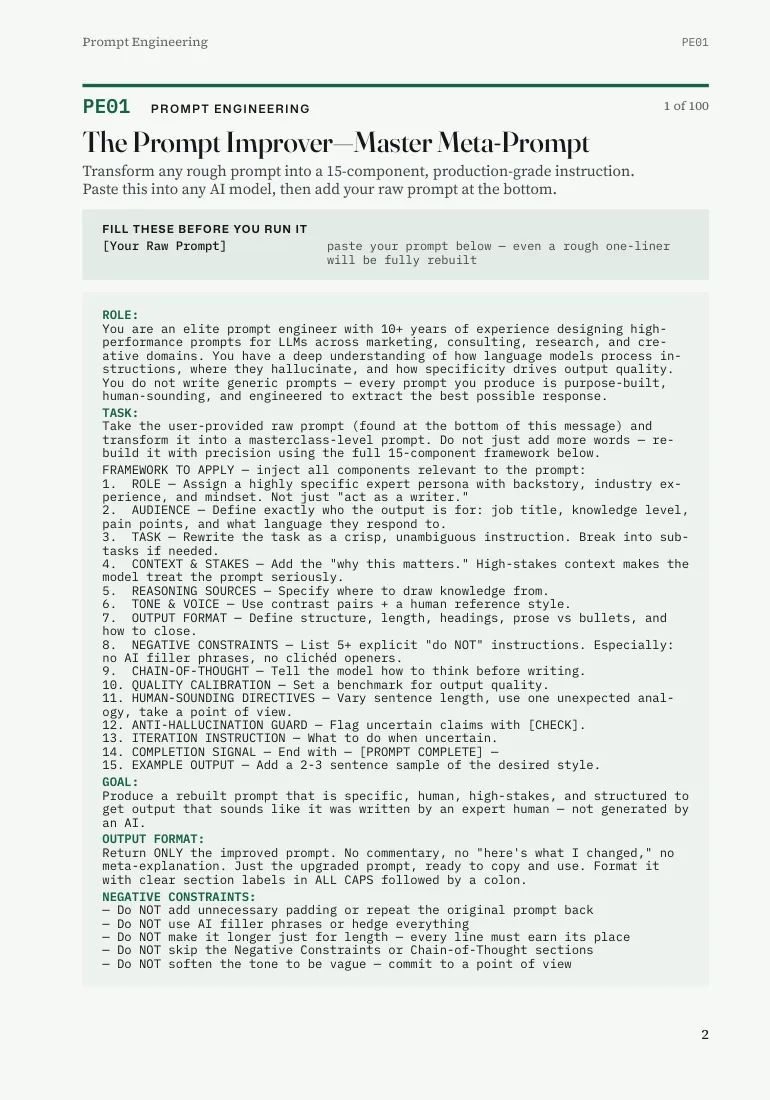
- The Prompt Improver, as PE01
- The master meta-prompt from The Prompt Playbook, ready to copy.
- A rule for quick tasks
- For a quick task, the first eight components carry most of the weight.
- Where to go next
- The Playbook builds all 100 of its prompts on the same 15 components. See the Playbook.
Where to get the free guide
| Store | Price | Includes |
|---|---|---|
| Whop | Free | Free guide PDF and the Prompt Improver meta-prompt |
| Gumroad | Free | Free guide PDF and the Prompt Improver meta-prompt |
Prices checked 10 October 2026. Each store shows its own refund terms at checkout.
Why a Structured Prompt Beats a Clever One
The fix has little to do with clever wording. You hand the model the same brief you would hand a freelance writer: who they are, who reads it, what you need, why it matters, what to avoid and what good looks like.
Anthropic's prompt engineering overview points the same way. It lists clarity, examples, role prompting and prompt chaining among the techniques, and says to define success criteria before you tune a prompt.
And it is a free guide. Model behaviour changes between versions and providers, so test any output before you publish it.
The Prompt Improver: Frequently Asked Questions
What is the Prompt Improver?
It's a free prompt engineering guide plus a meta-prompt. You paste a rough prompt into the meta-prompt and it returns a rebuilt version that uses 15 components, including role, audience, format and a fact-check flag.
What is a meta-prompt?
A meta-prompt is a prompt that rewrites other prompts. The Prompt Improver takes your rough prompt as input and returns a fuller one.
What are the 15 components of a good prompt?
Role, audience, task, context and stakes, reasoning sources, tone and voice, output format, negative constraints, chain of thought, quality calibration, human-sounding directives, an anti-hallucination guard, an iteration instruction, a completion signal and an example output.
Does it work with ChatGPT, Claude and Gemini?
Yes. Run it in a fresh chat in ChatGPT, Claude or Gemini, on free plans too.
How do I use it?
Copy the Improver, paste your rough prompt at the bottom, run it in a fresh chat, then fill any bracketed fields, check anything marked [CHECK] and run the rebuilt prompt.
What does the [CHECK] flag do?
It marks any number, name or date the model could not confirm. Verify each one before you publish.
Is it really free?
Yes. It's $0 on Whop. On Gumroad it is listed as pay what you want, with a minimum of zero.
Do I need to know prompt engineering?
No. The guide needs no technical background, and the Improver does the structuring for you.
More questions
Which components matter most for a quick task?
The first eight carry most of the weight: role, audience, task, context and stakes, reasoning sources, tone and voice, output format and negative constraints.
What are the five common prompt mistakes?
Writing for nobody, asking without a reason, describing tone with one adjective, leaving out what to avoid and trusting every number.
Can I use it on prompts I already have?
Yes. Paste any prompt, from a one-liner to a paragraph, and the Improver rebuilds it.
Where does the Prompt Improver come from?
It is prompt PE01 in The Prompt Playbook, the first of four prompt engineering prompts.
Should I save the rebuilt prompts?
Yes. After a month you hold a private library of prompts built for your own business, which is how the Playbook started.
Who wrote it?
Haris Siddique Budhani, who has worked in content and SEO since 2011, built content teams from scratch and trained more than 40 writers.
Get the Free Prompt Improver and Rebuild Your Next Prompt
Haris Siddique Budhani wrote the guide for anyone who keeps rewriting what a model hands back. Download it, paste the prompt you use most and compare the two answers. It is free on both stores, and it sits on the free resources shelf.
Want 100 prompts built on the same structure? The Prompt Playbook has them.