
Planners and journals · Ink and Index
Tap a month, a week or a day and the page opens. Write with a stylus in GoodNotes or another PDF app, with 114 stickers to place.
$9.99 on Etsy · instant download · sold by Ink and Index
The cover photograph and botanical plates are AI-generated images, not photographs of real places.
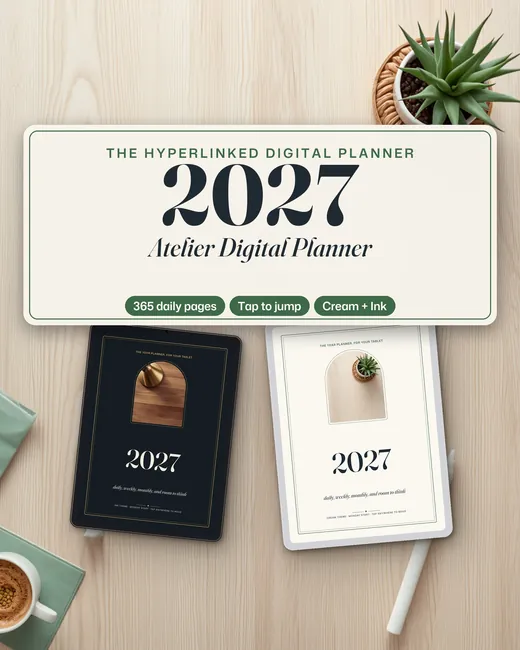
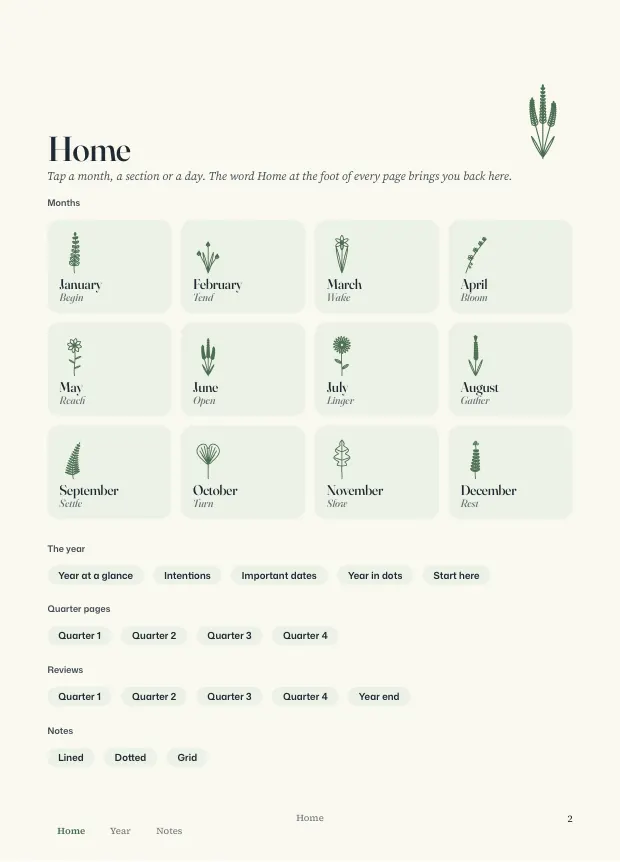
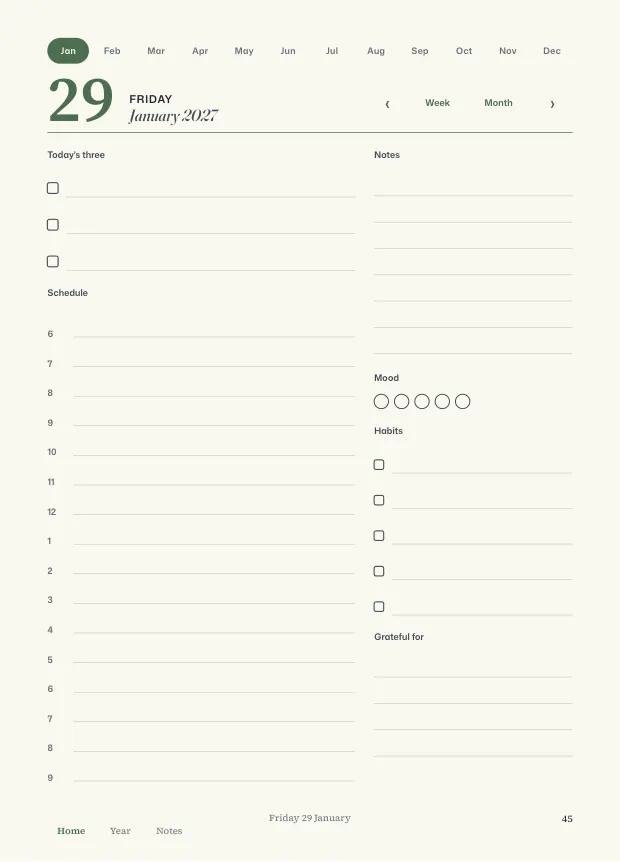
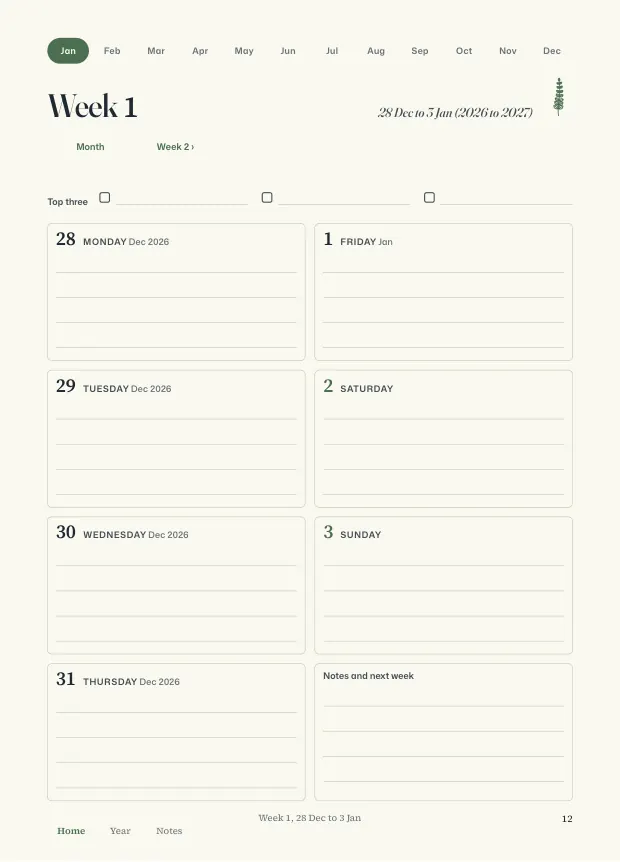
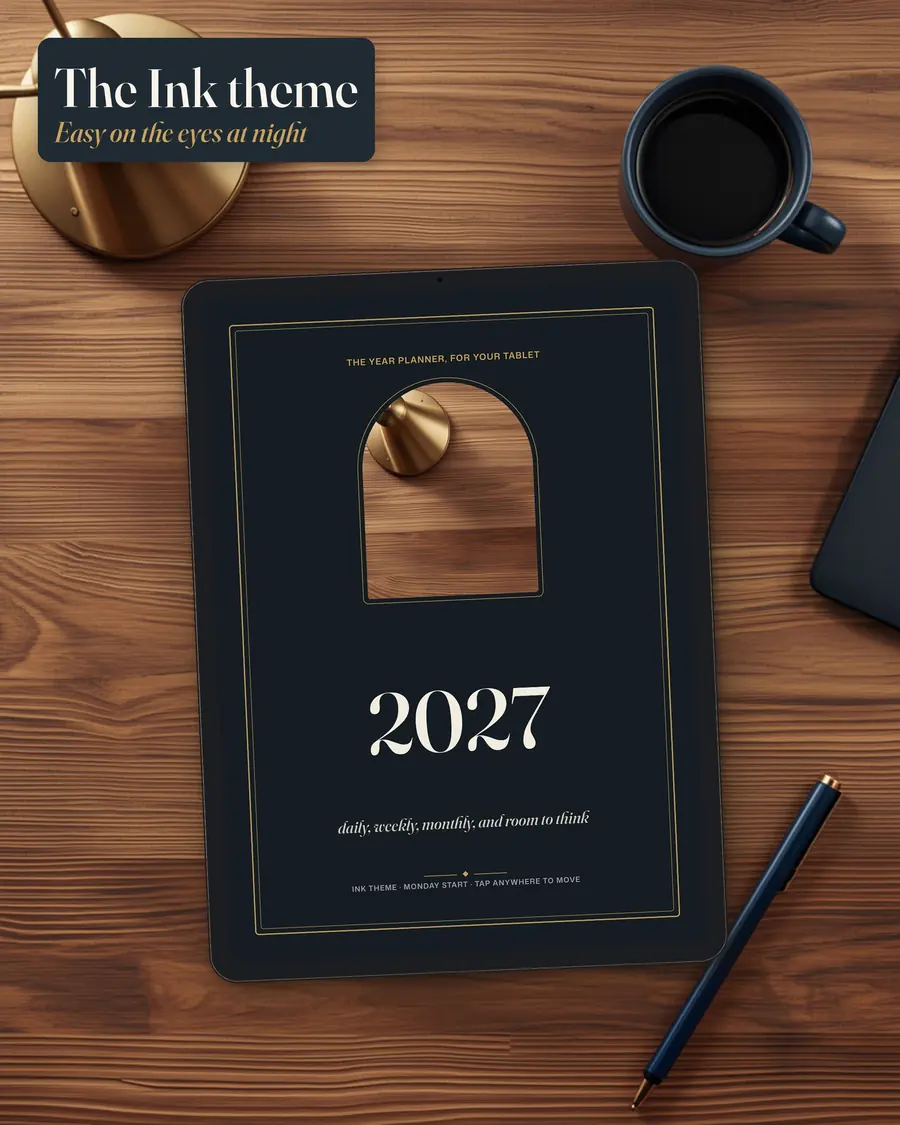
The 2027 Atelier Digital Planner is a dated, hyperlinked PDF planner for 1 January to 31 December 2027, sized for tablets at 7.2 x 10 inches. Each 479-page PDF has a daily page for every day, 53 weekly pages and monthly calendars and focus pages, and every month, week and day name is a link. It comes in Cream and Ink themes with a Monday or Sunday week start, with a ZIP of 114 transparent PNG stickers.
- Over 10,000 links in each PDF: tap a month, week or day to open it
- A daily page for every day of 2027, with an hourly schedule from 6 to 9
- Cream and Ink themes and 114 transparent PNG stickers
- 479
- pages per planner PDF
- 365
- daily pages
- 114
- transparent PNG stickers
- 4
- planner PDFs: two themes, two week starts
Why a Hyperlinked Digital Planner Beats a Plain PDF
A plain PDF calendar is just a long scroll. A 2027 digital planner with hyperlinks behaves like a book with tabs, and a tablet lets you write in it.
- You scroll through 400 pages to reach next Tuesday.
- The planner has monthly pages and no room to plan one day in detail.
- The links were added to the first pages and nowhere else.
- The dark theme you want is a separate purchase.
- You are not sure your app will open the links at all.
Six Ways the Planner Connects Its Pages
Pick a feature to see it. The links, the pages and the stickers are all built into the PDF.
Feature 1 of 6 · month names across the top
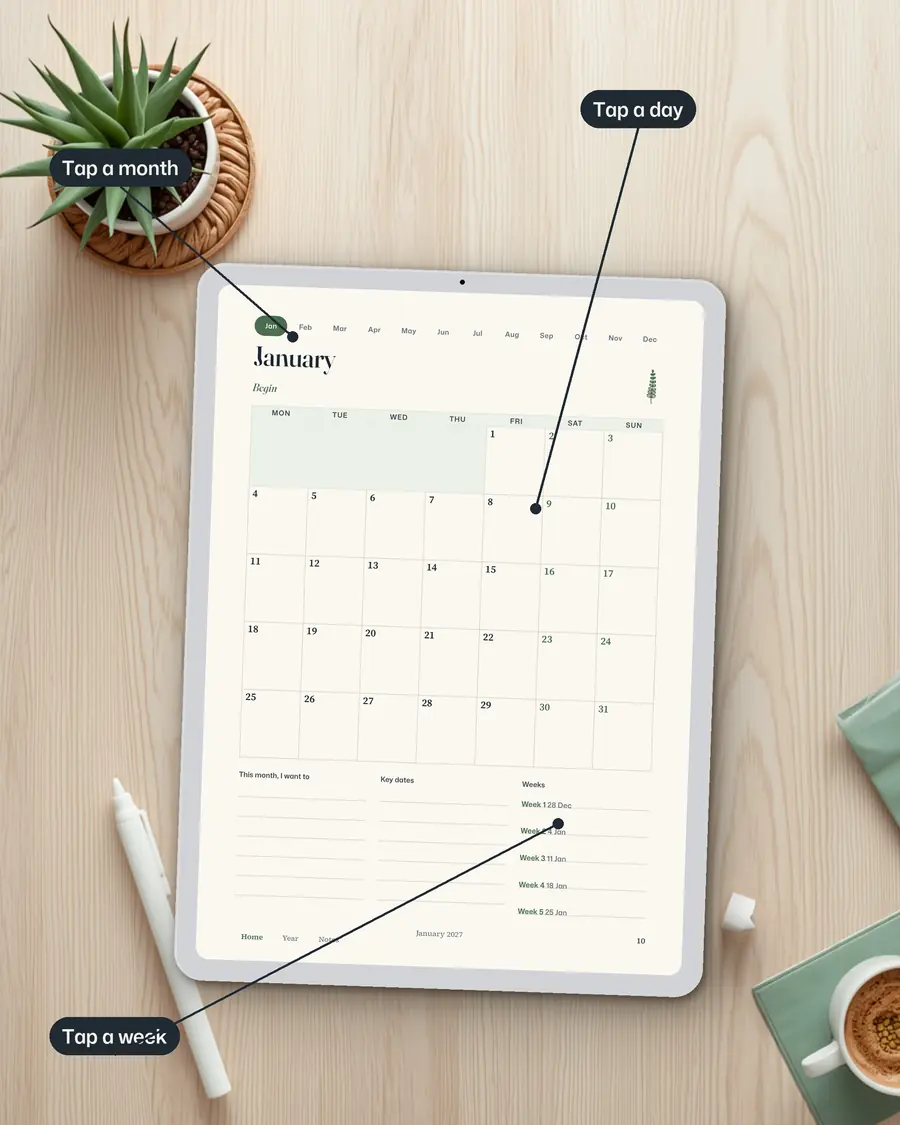
Tap a month
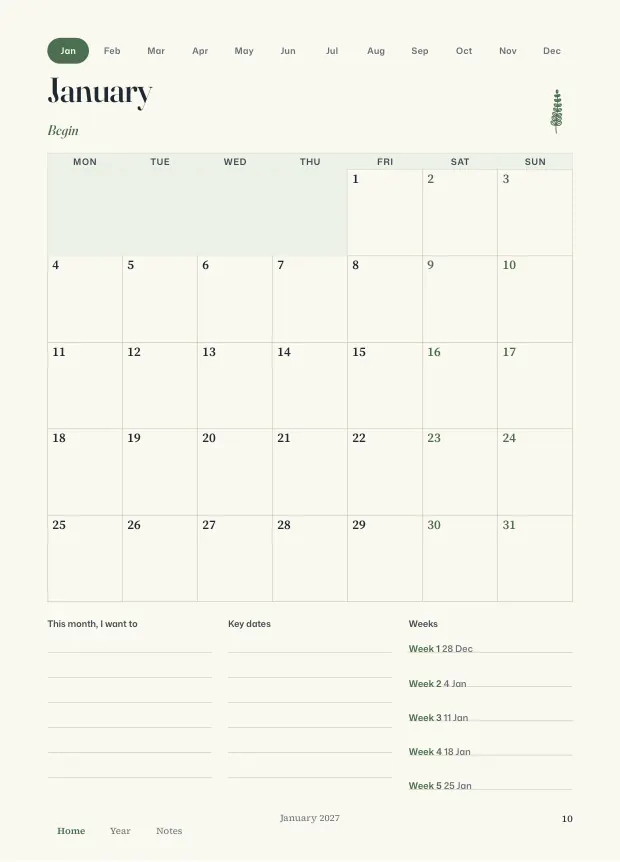
- Month names across the top of dated pages jump to that month
- On a month page, tap a day number to open that day
- The PDF also has bookmarks
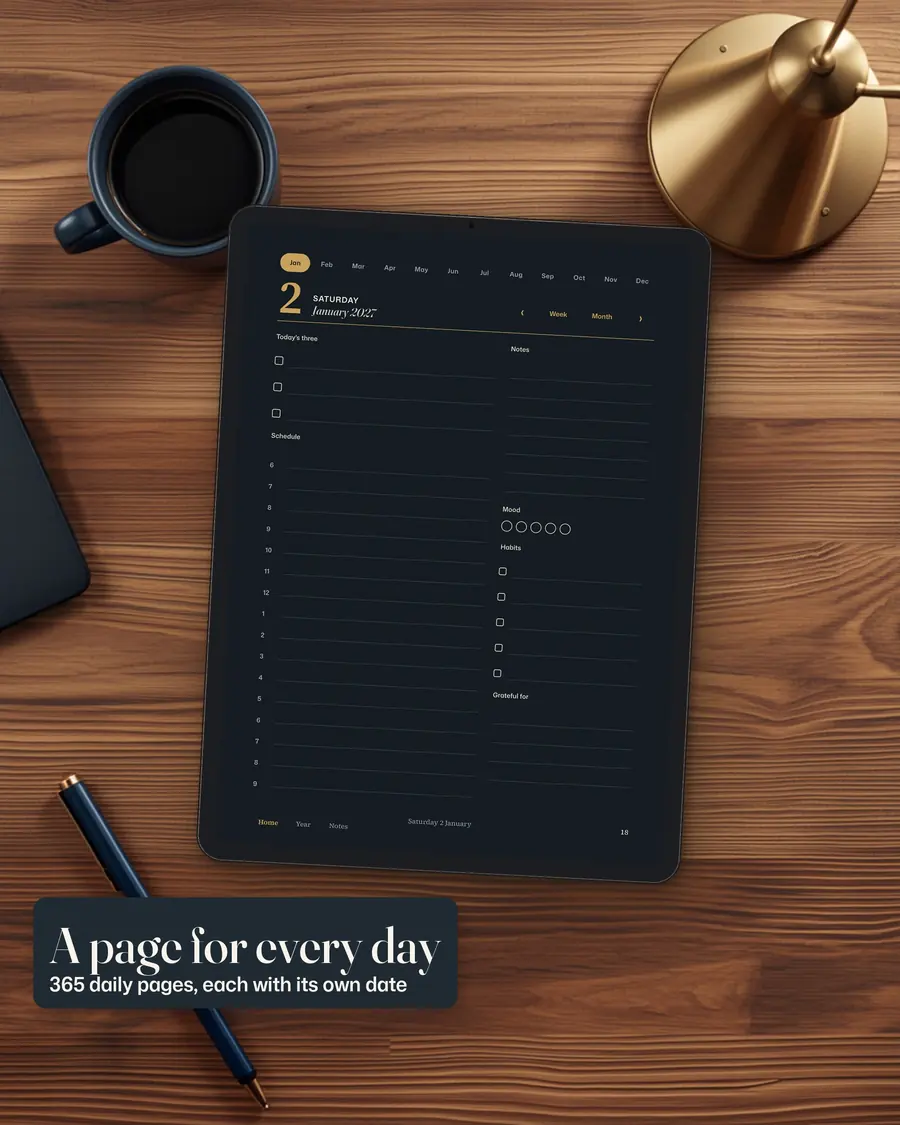
Feature 2 of 6 · 365 daily pages
A page for every day
- Top three, an hourly schedule from 6 to 9 and notes
- Mood, five habits and a gratitude block
- Arrows go to the day before and after
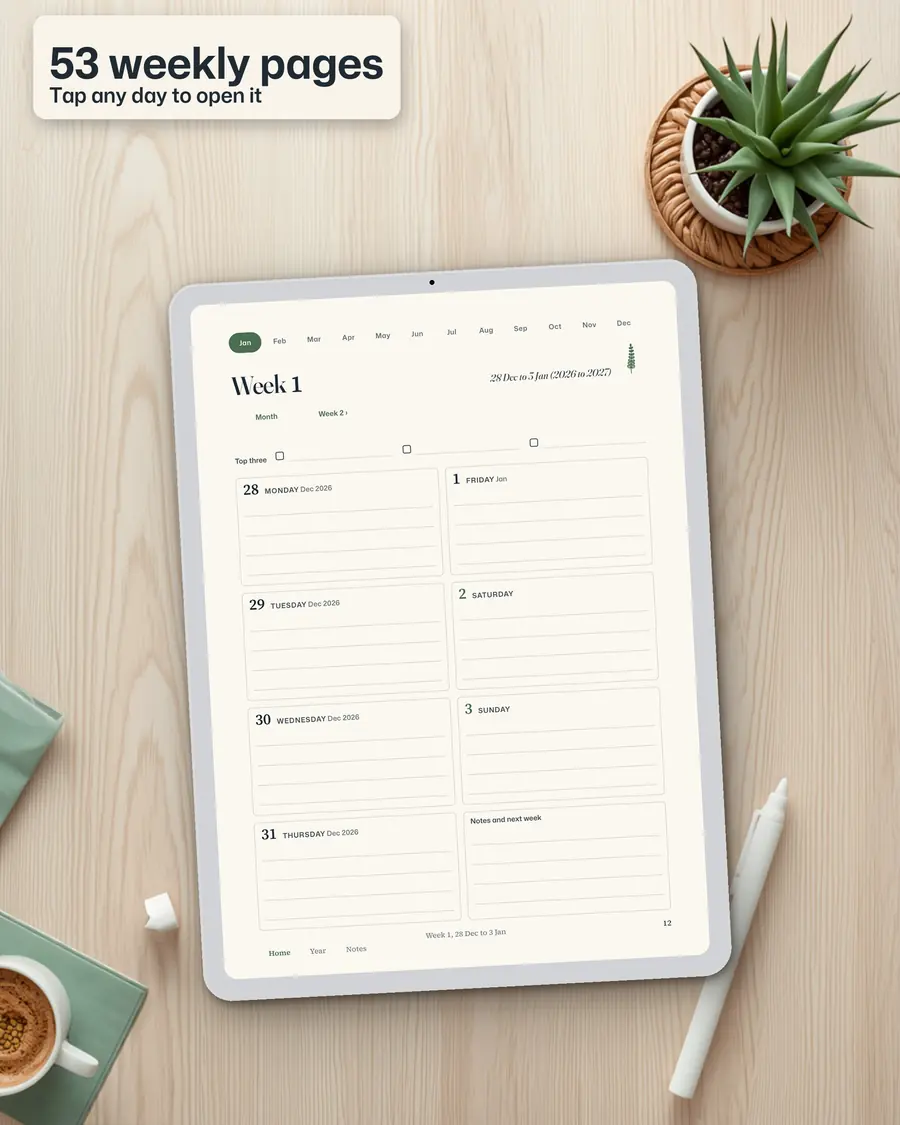
Feature 3 of 6 · 53 weeks
Weekly pages
- On a week page, tap a day to open it
- Week and Month buttons go up a level
- Week 1 starts in late December 2026 so the new year is not cut off
Feature 4 of 6 · Cream and Ink
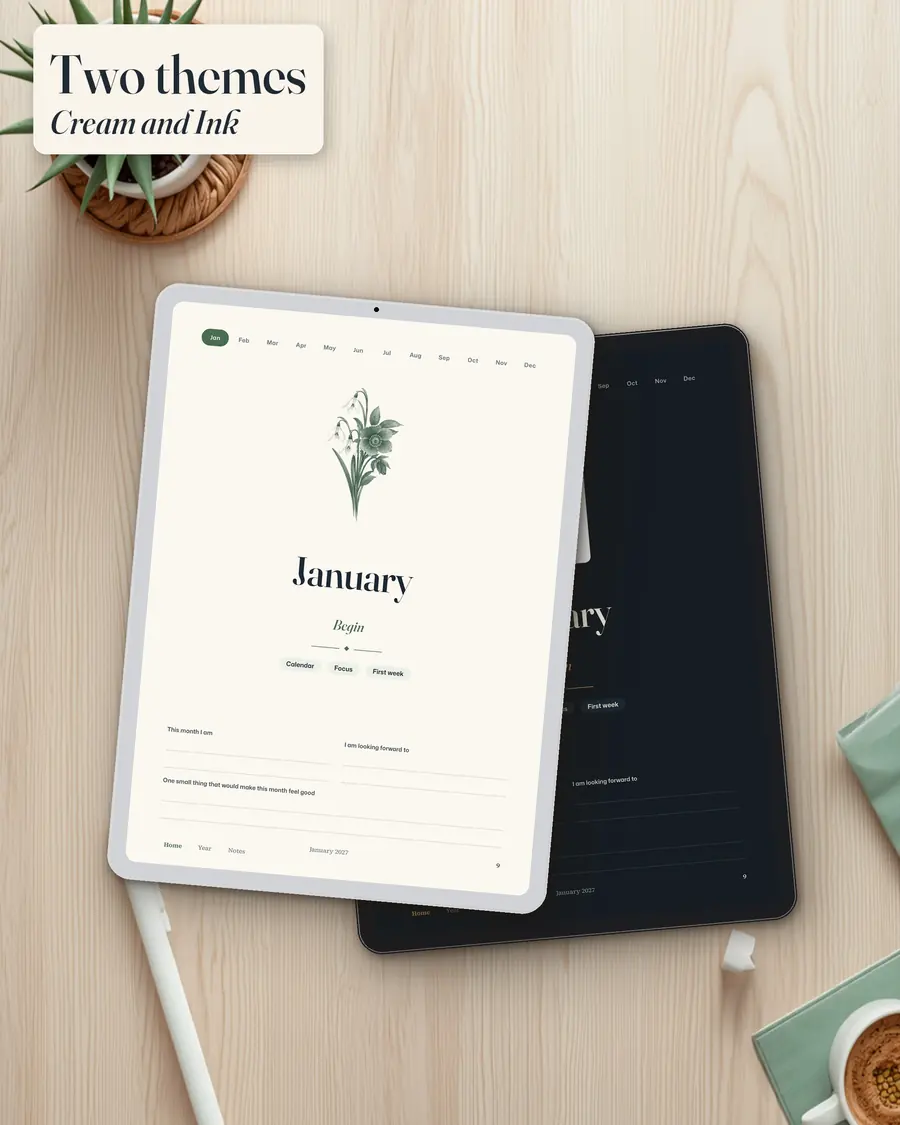
Two themes
- Cream theme or Ink dark theme
- Each with a Monday or Sunday week start
- A botanical plate on each month divider
Feature 5 of 6 · transparent PNG files
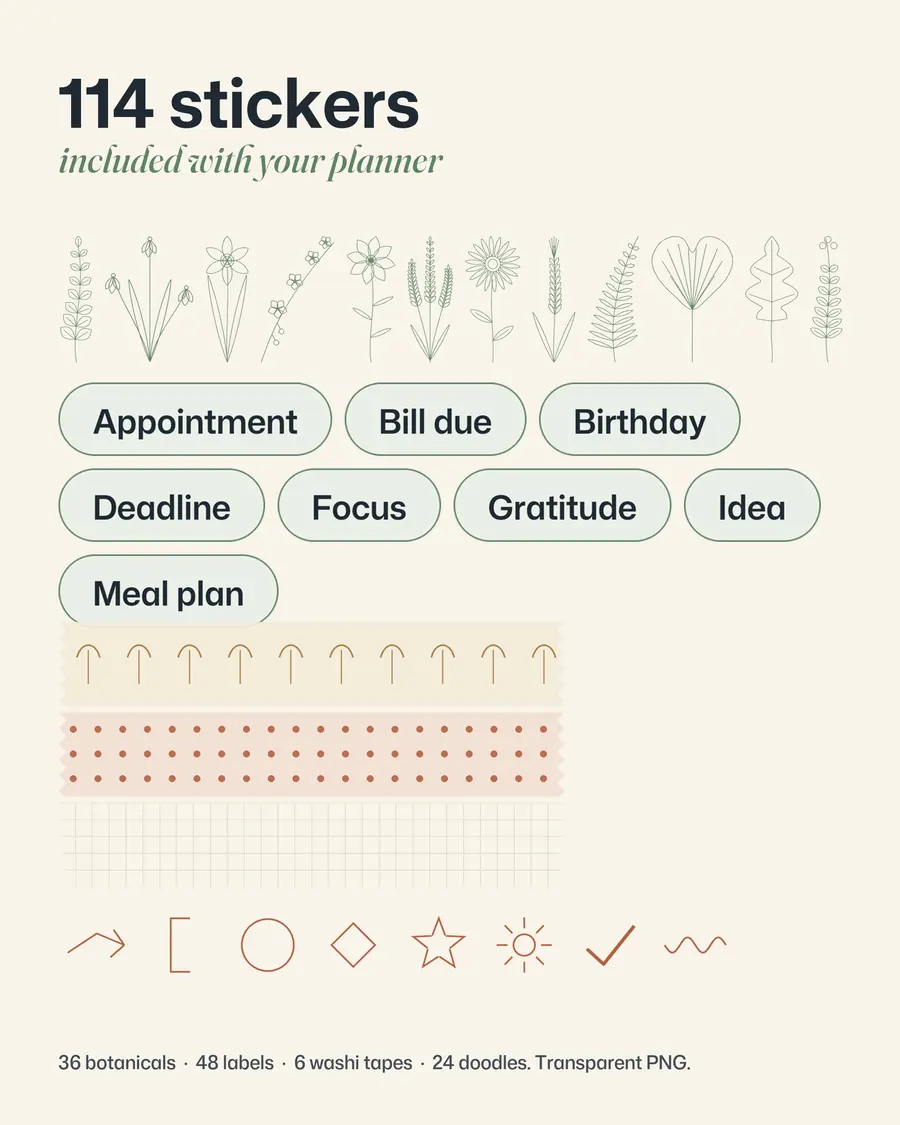
114 stickers
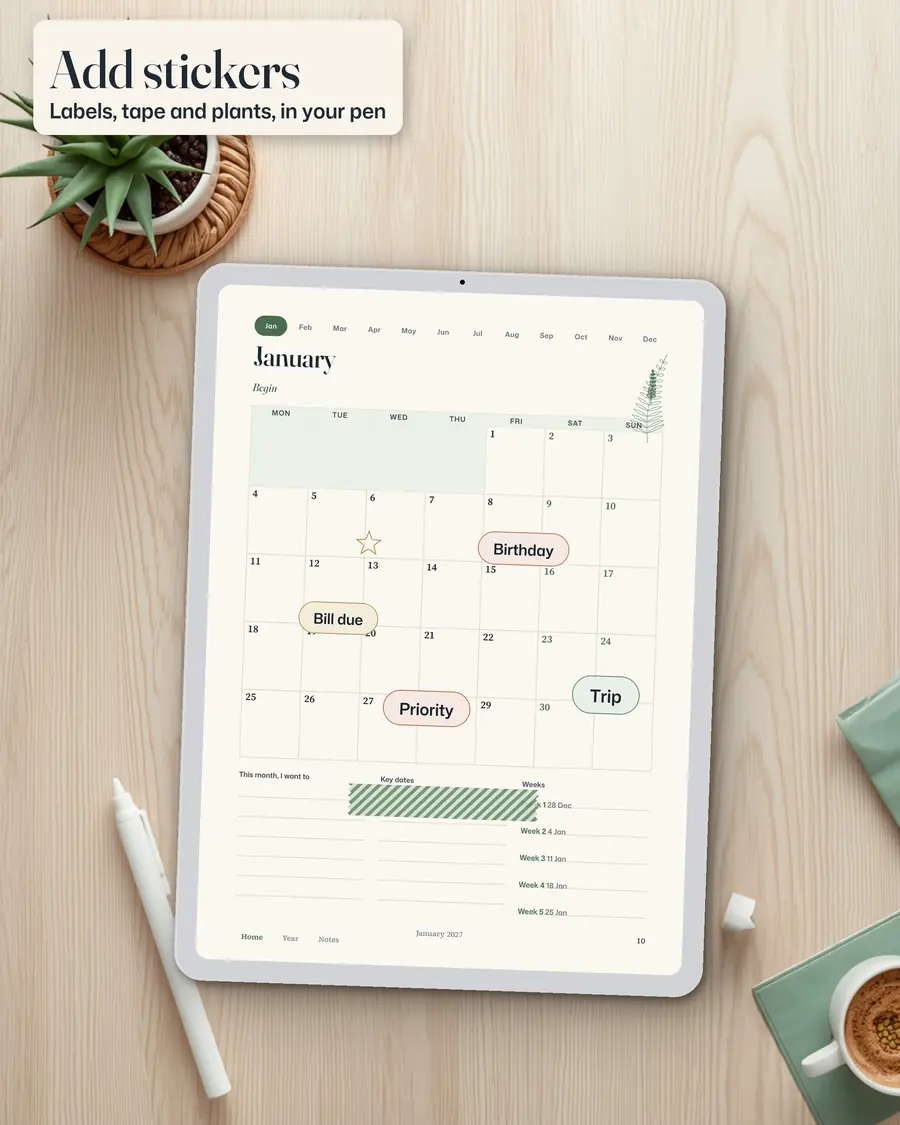
- 36 botanicals, 48 labels, 6 washi tapes and 24 doodles
- Placed with your app's own picture or sticker tools
- A short guide is included
Feature 6 of 6 · Home, Year and Notes
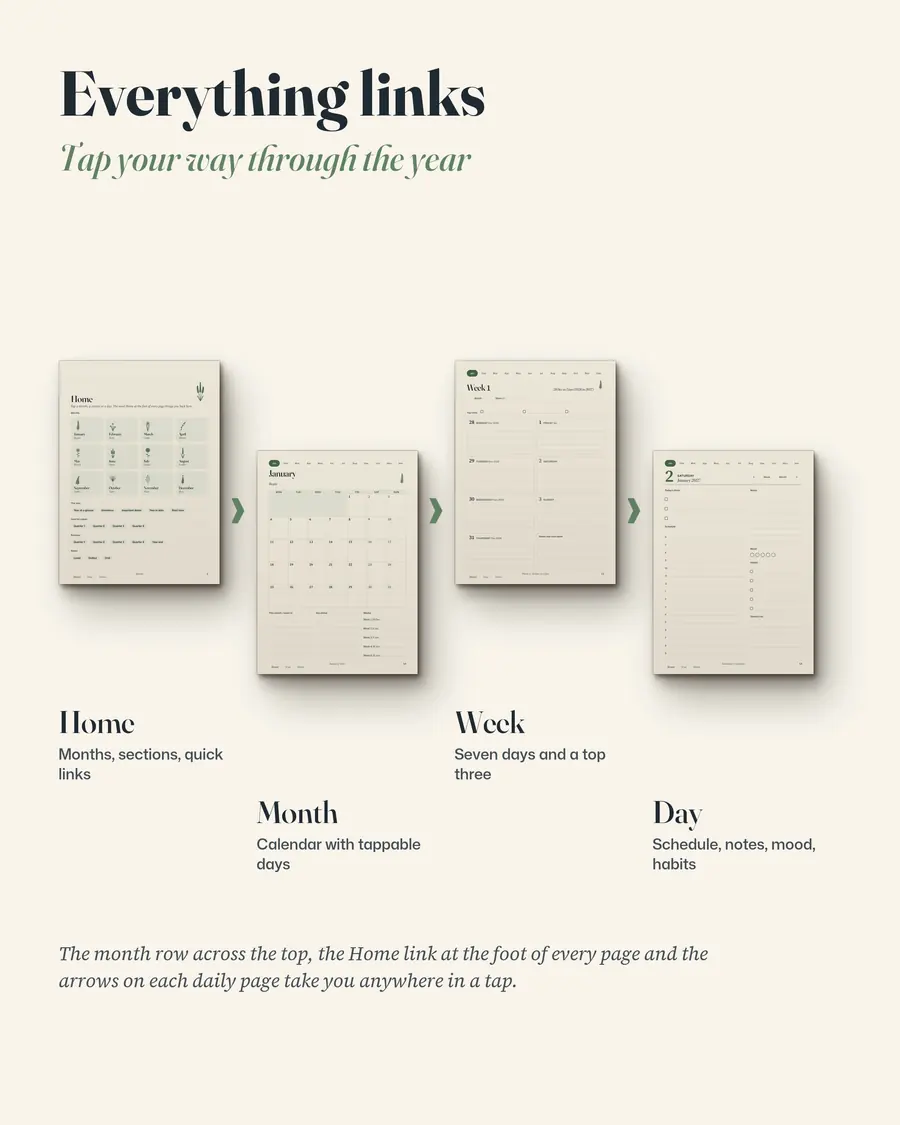
Everything links
- Home, Year and Notes at the foot of every page are links
- Each file has more than 10,000 links
- They were checked inside the PDF: every link goes to the right page
$9.99 on Etsy · instant download · sold by Ink and Index
Read the pages first
1 / 6
How to Start Using the Planner in Five Steps
It is a PDF, not an app, so the first job is to check your own app.
-
Open one page in your own app
Check that the app you use supports links in imported PDFs. The file was not tested in every app, so try one page first.
-
Choose a theme and a week start
Pick Cream or Ink and a Monday or Sunday start. Import that PDF into GoodNotes or your PDF app.
-
Start from Home
Use the Home page to jump to a month, a quarter or the notes pages.
-
Write with a stylus
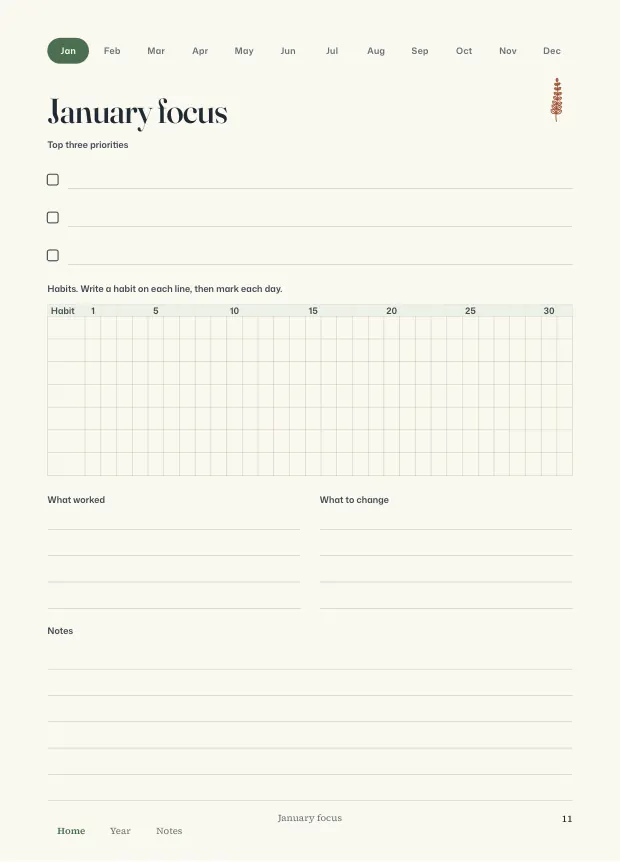
Fill in the focus page, then plan the week and the day. Arrows move between days.
-
Add stickers
Import the sticker PNGs and place them with your app's picture or sticker tools.
What Is Inside the 2027 Digital Planner
- 479 pages in every planner PDF
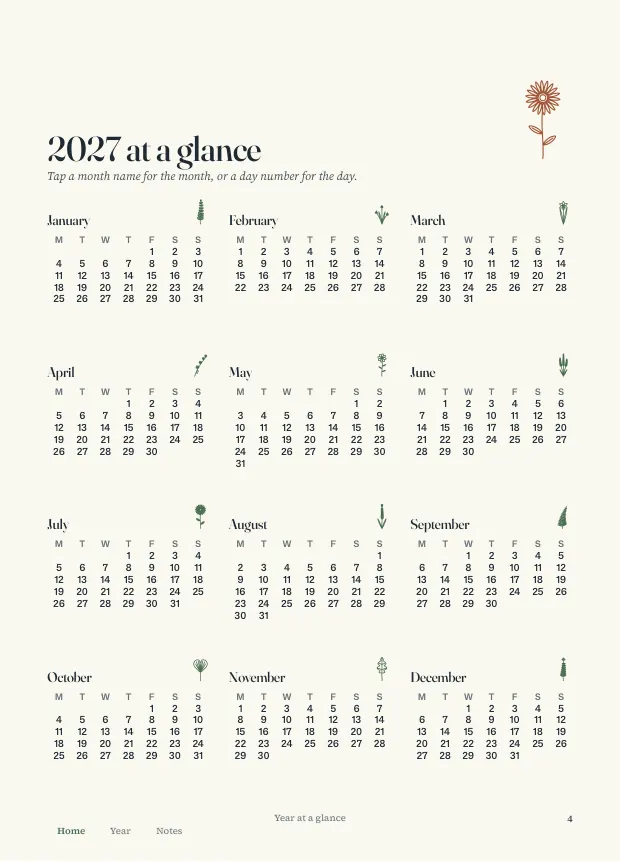
- A cover, Home page and start-here page, year at a glance, intentions, important dates and a year in dots, then 36 monthly pages, 53 weekly pages, 365 daily pages, 4 quarter reviews, 2 year-end pages, 8 notes pages and 4 quarter pages.
- Four planner PDFs
- Cream or Ink, each with a Monday or a Sunday week start.
- Tablet-sized pages
- 7.2 x 10 inches, made for a tablet and a stylus.
- 114 stickers
- 36 botanicals, 48 labels, 6 washi tapes and 24 doodles as transparent PNG files, plus a short guide.
- Links and bookmarks
- More than 10,000 links in each file, plus PDF bookmarks.
- Dates checked twice
- Generated by script and checked against two independent calendar calculations.
Digital planner or printable planner?
| Compare | Digital Planner | Printable Planner |
|---|---|---|
| Format | Hyperlinked PDF for a tablet | PDF to print on paper |
| Daily pages | 365 | None, 53 weekly pages |
| Stickers | 114 PNG stickers | None |
| Themes | Cream and Ink | Sage, Clay and Ink |
| Page | You are here | 2027 Printable Planner |
Where to buy, and what each store sells
| Store | Price | Includes | Buy |
|---|---|---|---|
| Etsy | $9.99 | 4 hyperlinked planner PDFs (Cream or Ink, Monday or Sunday start) and a ZIP of 114 stickers | Buy on Etsy |
Prices checked 23 October 2026. Each store shows its own refund terms at checkout.
Before You Buy: Apps and Devices
This is a PDF, not an app. It works in apps that open PDFs with links and handwriting, such as GoodNotes. How links behave depends on the app, and the file was not tested in every app, so open one page in your own app first.
It is not an editable template, and there are no checkboxes that tick themselves, widgets or animations. There are no public holidays, no printed pages and no physical product. The reflection pages are prompts for your own thinking, not medical, financial or mental health advice.
AI tools were used to help draft the wording, to write the code that builds the planner pages and the botanical line drawings, and to make the photographs on the cover and quarter pages, the watercolor plates and the listing pictures. Those photographs are AI-generated images, not photographs of real places. The stickers contain no photographs. The license is for personal use on your own devices.
What You Download
Five files: four planner PDFs of 479 pages each (Cream or Ink, Monday or Sunday start) and one ZIP with 114 transparent PNG stickers and a short guide. Each planner file has more than 10,000 links.
- 5
- files
- 479
- pages each
- 114
- stickers
Dates were generated by script and checked against two independent calendar calculations.
2027 Digital Planner: Frequently Asked Questions
What is the 2027 Atelier Digital Planner?
A dated, hyperlinked PDF planner for 2027, sized for tablets. It has a daily page for every day, 53 weekly pages, monthly calendars and focus pages, and 114 transparent PNG stickers.
Does it work in GoodNotes?
It is made to work in apps that open PDFs with links and handwriting, such as GoodNotes. The file was not tested in every app, so open one page in your own app first and check that it supports links in imported PDFs.
How do the links work?
Month names across the top jump to that month. On a month page, tap a day number to open that day. On a week page, tap a day. On a daily page, arrows go to the day before and after, and Week and Month go up a level. Home, Year and Notes at the foot of every page are links too.
Is the 2027 digital planner hyperlinked?
Yes. Each planner PDF has more than 10,000 links, so a tap on a month, week or day name opens that page. The links were checked inside the PDF.
Which version should I choose?
Choose Cream or Ink, then a Monday or Sunday week start. The pages are the same apart from theme and week start. You can use more than one.
Is it an app or an editable template?
Neither. It is a PDF. There are no checkboxes that tick themselves, widgets or animations.
Is it a physical product?
No. It is a digital download, so nothing arrives in the mail. You download the files after you buy.
What do I get when I buy it?
Five files: four planner PDFs and one ZIP with 114 transparent PNG stickers and a short guide.
How much does it cost, and where can I buy it?
As of 23 October 2026 it costs $9.99 on Etsy. The table above shows what the store sells.
More questions
Can I use it on an iPad or Android tablet?
Any tablet with a PDF or handwriting app that supports links in imported PDFs should work. Test one page first.
Are there printed pages?
No. For paper, see the 2027 Printable Planner.
What are the stickers for?
They are transparent PNG files you place on your pages with your app's own picture or sticker tools, for use in your own planners and notes.
Does it have public holidays?
No. Holidays differ by country.
Was AI used to make it?
AI tools were used to help draft the wording, to write the code that builds the planner pages and the botanical line drawings, and to make the photographs on the cover and quarter pages, the watercolor plates and the listing pictures. Those photographs are AI-generated images, not photographs of real places.
Can I share the files?
No. The license is personal use on your own devices. Please do not resell, share or upload the files.
What if a file will not open?
Email the address on the contact page. If a file will not open or is not what the listing describes, it gets fixed or replaced.
Plan 2027 on Your Tablet
Check one page in your app, then import the planner and start from the Home page. The planner is an instant download. For paper, see the 2027 Printable Planner.
$9.99 on Etsy · instant download · sold by Ink and Index
Planning a budget too? The Annual Budget Spreadsheet works in Excel and Google Sheets.