
Vision board kits · Ink and Index
Every board comes finished, with photographs, a word and a line. Change any of it in Canva, then print it or save it to your phone.
$7.99 on Etsy · instant download · sold by Ink and Index
The photographs were created with AI image tools.
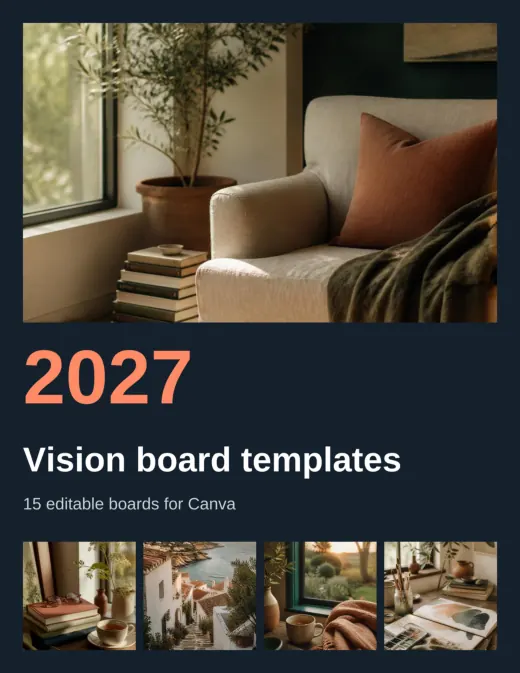
The 2027 Vision Board Canva Templates are 15 finished, editable vision boards in one Canva design with 16 pages: a cover and 15 boards, each 8.5 x 11 inches. Every photo, word and line can be changed. The download also holds the same boards as finished PDFs in US Letter and A4, a ZIP of picture files and a 3-page start-here guide with your template link.
- 15 finished boards you can keep as they are or rewrite in an evening
- Works with a free Canva account, because no premium elements are used
- The same boards come as finished PDFs and picture files too
- 15
- editable boards
- 16
- pages in the Canva design
- 5
- photographs on every board
- 3
- page start-here guide
Why Most Vision Board Templates Leave You With a Blank Page
A template should save you the layout work. Many give you one layout and an empty frame, so you still have to find the photographs, write the words and decide what the board is about.
- You open a template and spend an hour searching for pictures.
- The free layouts lean on premium elements you cannot use.
- You like a board but cannot change the words on it.
- One layout for everyone means your board looks like everyone else's.
- You want to print it, and the file is a screen-sized graphic.
Fifteen Boards, Each Built Around One Theme
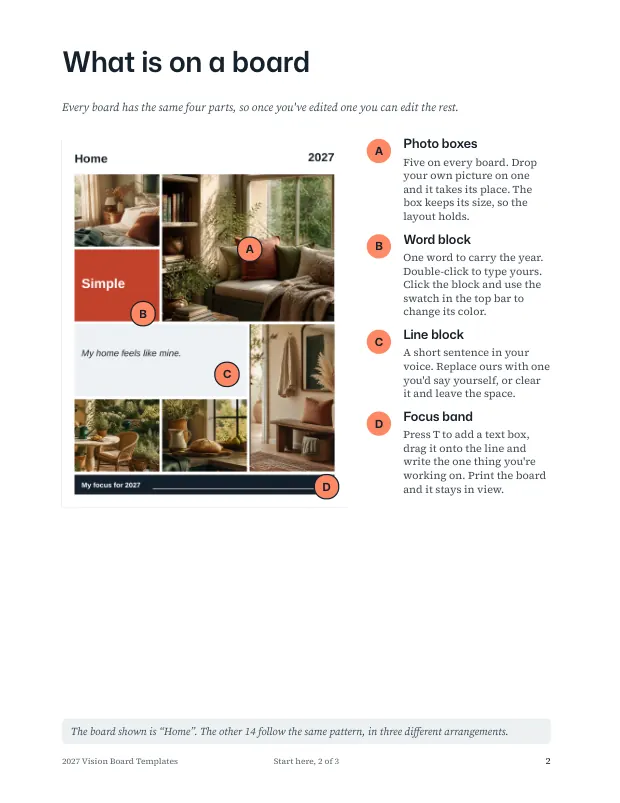
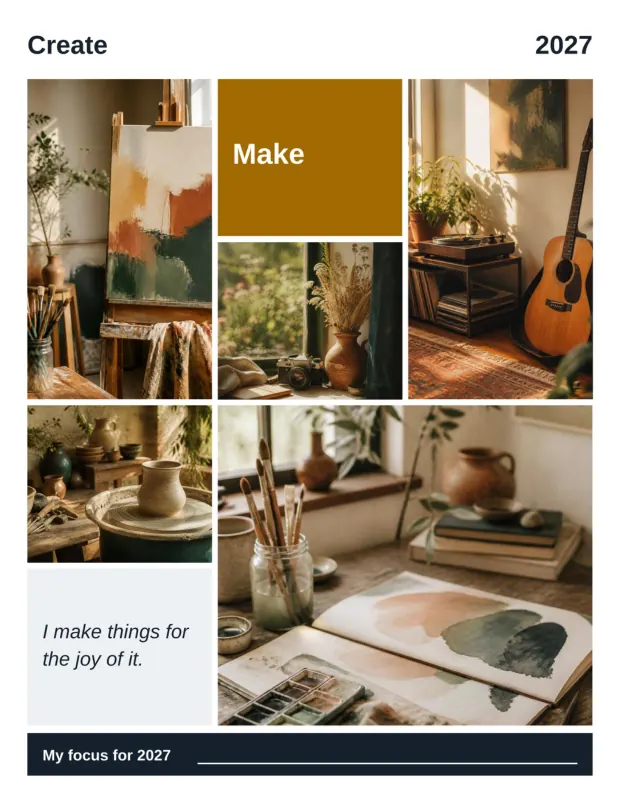
The boards run from Fresh start to My year. Pick one to see it. Each has five photographs, a word block, a line in your own voice and a band for your focus of the year, and all of it can be edited.
Board 1 · the first board to try
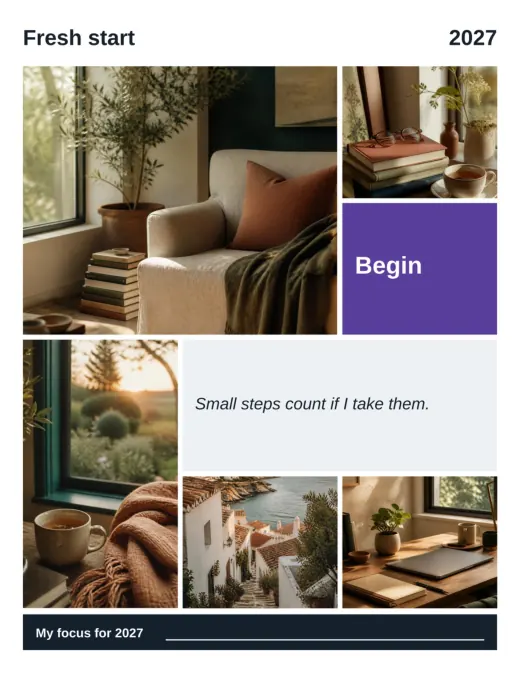
Fresh start
Small steps count if I take them.
- Word block: Begin
- A reading chair, a cup of tea and a desk
- Best for a first board when you are not sure where to start
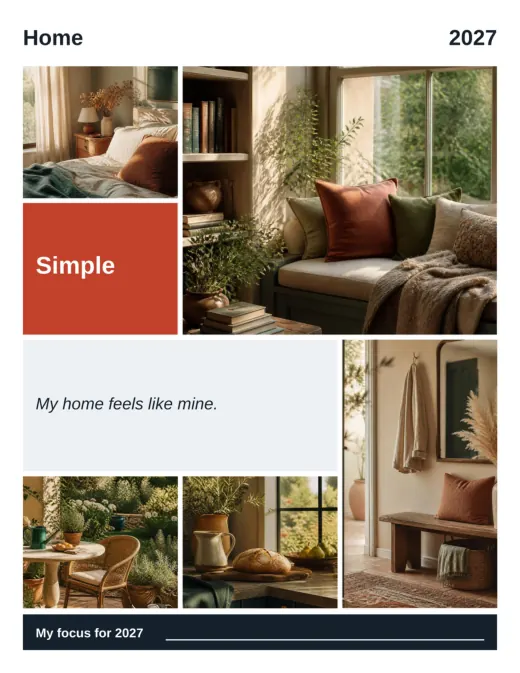
Board 2 · rooms that feel like yours
Home
My home feels like mine.
- Word block: Simple
- A bedroom, a bookshelf, a breakfast table and a hallway
- Best for a move or a slower year at home
Board 3 · spending and saving
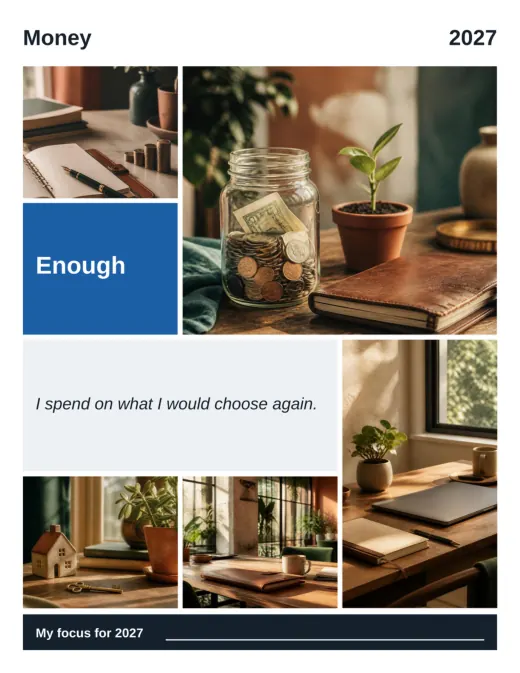
Money
I spend on what I would choose again.
- Word block: Enough
- A coin jar with a seedling, a notebook and a small model house
- Best for a savings goal or a first home
Board 4 · somewhere you have not been
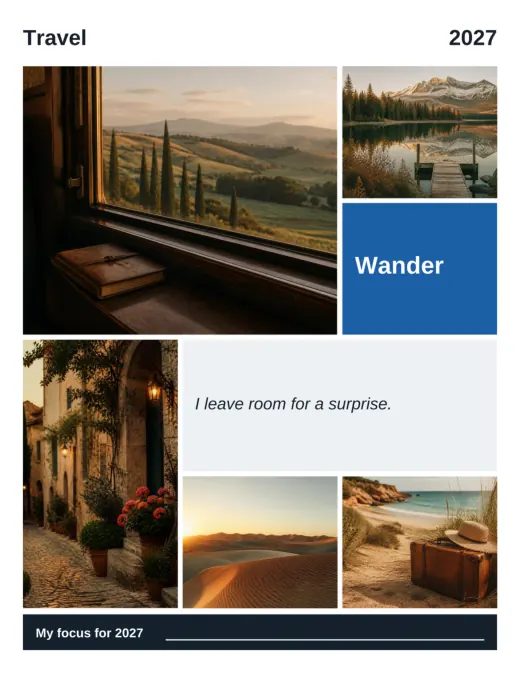
Travel
I leave room for a surprise.
- Word block: Wander
- A window over rolling hills, a mountain lake and a village lane
- Best for a trip you want to plan
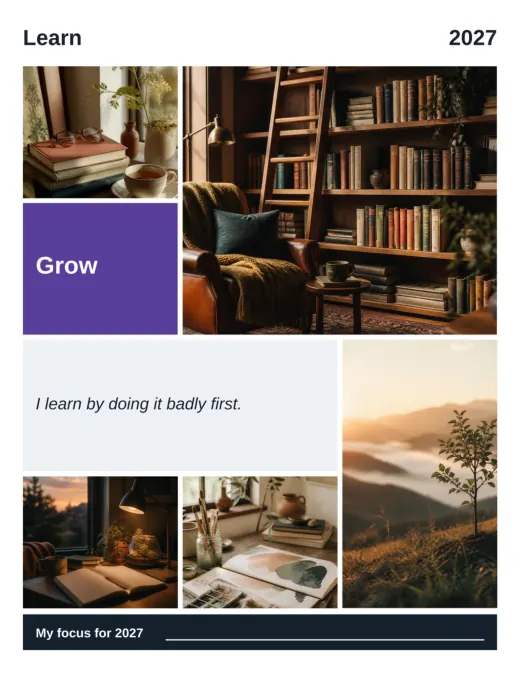
Board 5 · a skill to build
Learn
I learn by doing it badly first.
- Word block: Grow
- A library ladder, an open notebook and a lamp
- Best for a course, a language or a new craft
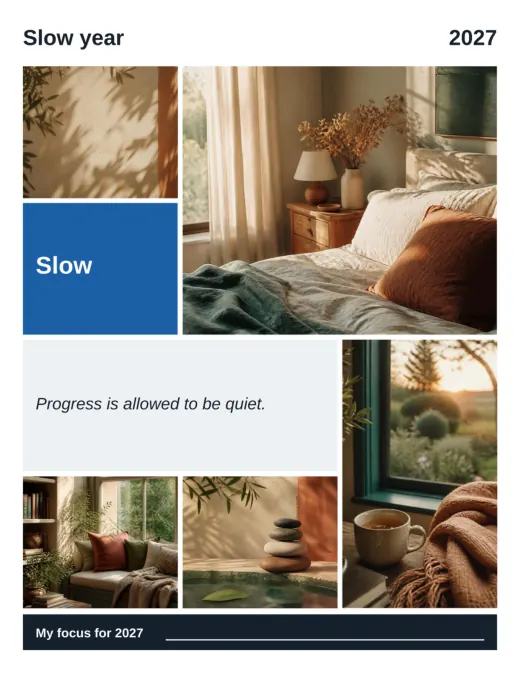
Board 6 · a quieter year
Slow year
Progress is allowed to be quiet.
- Word block: Slow
- A bed in morning light, stacked stones and a window seat
- Best for a year spent recovering
$7.99 on Etsy · instant download · sold by Ink and Index
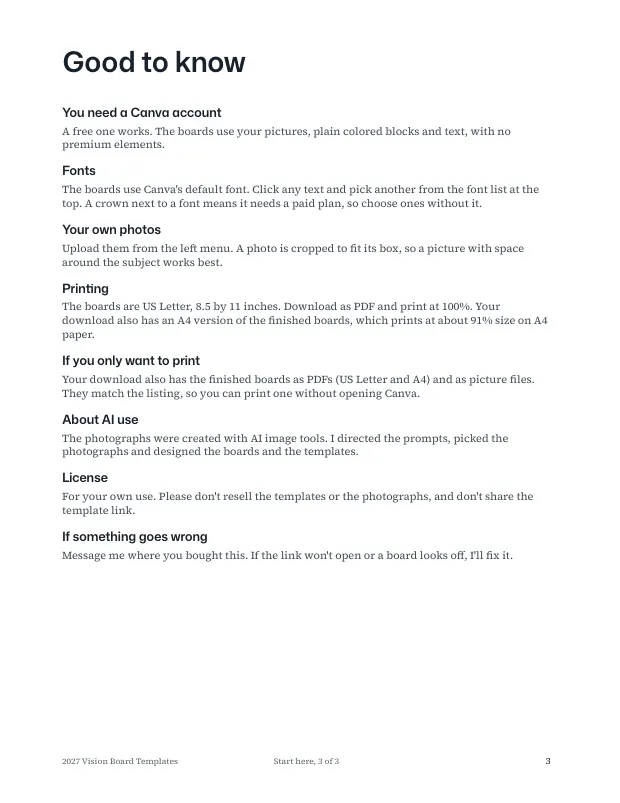
Look inside the guide and the boards
1 / 6
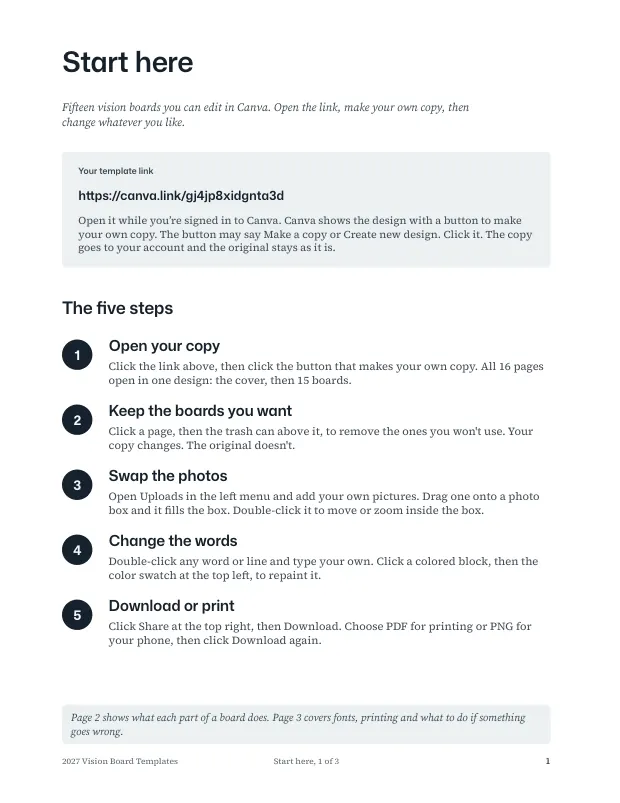
How to Edit a Board in Canva in Five Steps
Editing takes about an evening. You need a Canva account, and a free one is enough.
-
Open your template link
Open the start-here guide from your download and click the template link.
-
Make your own copy
Click the button that makes your own copy. It may say Make a copy or Create new design.
-
Swap the photographs
Drop your own pictures onto the photo frames, or keep the ones on the board.
-
Write your words
Type your own line, change the word block and fill in the focus band. Delete the boards you do not want.
-
Download and print
Download from Canva as a PDF or PNG. Print it, or save it to your phone.
What Is Inside the Canva Template Set
- One template link, 16 pages
- A cover and 15 boards in one Canva design at US Letter size. Delete any page you do not want.
- 15 themed boards
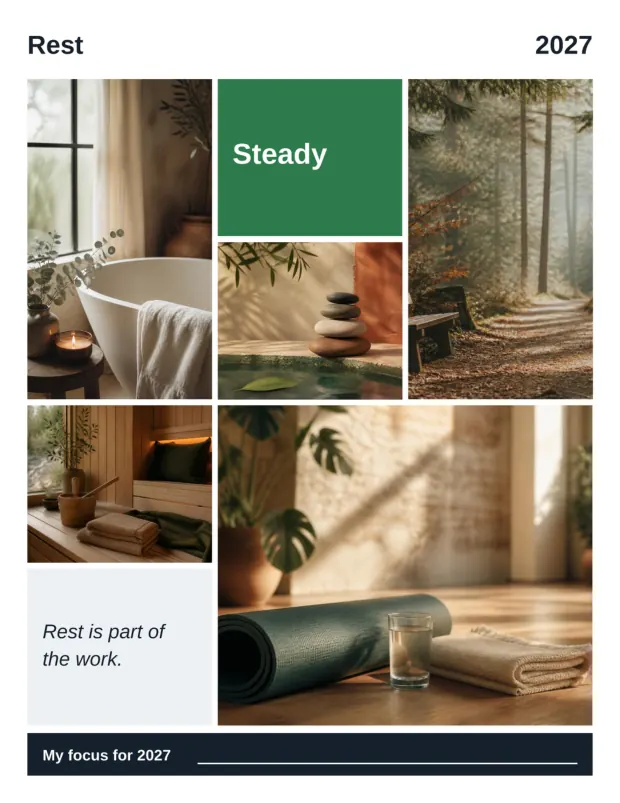
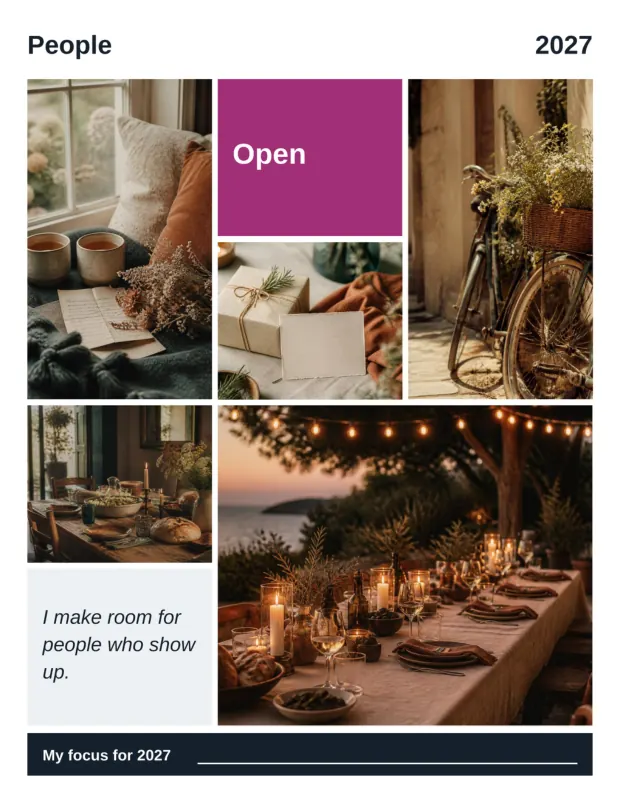
- Fresh start, Home, Rest, Eat well, Money, Career, Travel, Coast, People, Celebrate, Learn, Create, Outdoors, Slow year and My year.
- Nothing is locked
- Five photographs on every board, a word block, a short line and a band for your focus of the year. All of it can be changed.
- The same boards as finished PDFs
- US Letter and A4, 16 pages each, in case you would rather print a board as it is.
- Picture files
- A ZIP with 16 JPG files of the finished boards.
- A 3-page start-here guide
- The five editing steps, what is on a board and your template link.
Canva templates or the printable kit?
| Compare | Canva Templates | Printable Vision Board Kit |
|---|---|---|
| Editing | Every photo, word and line | Not editable, print and write |
| Planning pages | None, boards only | A 26-page workbook |
| Boards | 15 themed boards | 6 ready-made boards and blank layouts |
| You need | A Canva account, free is enough | A printer and scissors |
| Page | You are here | 2027 Vision Board Kit |
Where to buy, and what each store sells
| Store | Price | Includes | Buy |
|---|---|---|---|
| Etsy | $7.99 | Canva template link, finished PDFs in US Letter and A4, picture files and a start-here guide | Buy on Etsy |
Prices checked 23 October 2026. Each store shows its own refund terms at checkout.
Why the Boards Come Finished
A template you fill from scratch is the same chore in a nicer frame. These boards arrive finished, with photographs, a word and a line already set, so your first decision is what to change, not what to put there.
Fifteen themes cover the places a year tends to land: home, money, work, travel, people, learning, making and rest. Keep the ones that fit, rewrite the lines in your own voice and delete the rest.
The photographs were created with AI image tools. Ink and Index directed the prompts, selected the photographs and designed the boards and the templates. The boards use plain colored blocks and text with no premium Canva elements, which is why a free account works.
What You Download
Four files: the start-here guide (PDF, 3 pages), the finished boards in US Letter (PDF, 16 pages), the finished boards in A4 (PDF, 16 pages) and the picture files (a ZIP of 16 JPG files). The Canva design is US Letter, 8.5 by 11 inches, and you reach it through the template link in the guide.
- 4
- files
- 16
- pages per PDF
- 16
- JPG files
The only date on the boards is 2027. Edit it in Canva if you want another year.
Canva Vision Board Templates: Frequently Asked Questions
What is the Canva vision board template?
It is a set of 15 finished vision boards in one Canva design. You open it through a template link, make your own copy and change any photograph, word or line. The download also has the boards as finished PDFs and picture files.
Do I need a paid Canva account?
No. You need a Canva account to edit, and a free one is enough. The boards use your own pictures, plain colored blocks and text, with no premium Canva elements.
How do I edit the template?
Open the start-here guide, click your template link, then click the button that makes your own copy. Swap the photographs, type your own words and delete the boards you do not want. Download as a PDF or PNG when you finish.
Can I change the photographs, words and fonts?
Yes. Nothing on a board is locked. The boards use Canva's default font, and you can change it in Canva.
Can I print the boards?
Yes. Download your edited board from Canva as a PDF, or print one of the finished PDFs in the download. The boards are full of photographs, so they use a lot of ink. Print one board to test.
Is it a physical product?
No. It is a digital download, so nothing arrives in the mail. You download the files after you buy, and you can print the same day.
What do I get when I buy it?
Four files: a 3-page start-here guide with your template link, the 15 finished boards as PDFs in US Letter and in A4, and a ZIP with 16 picture files.
How much does it cost, and where can I buy it?
As of 23 October 2026 it costs $7.99 on Etsy. The table above shows what the store sells.
More questions
Can I use it for another year?
Yes. The only date on the boards is 2027. Edit it in Canva.
Can I share the template link?
No. Your copy is yours to edit and print as often as you like. Please do not share the template link, resell the templates or resell the photographs.
How many boards can I keep?
All 15, or fewer. Delete any board you do not want from your copy.
How is this different from the printable Vision Board Kit?
The Canva set is boards only, and you can edit all of it. The printable kit adds a 26-page workbook and blank layouts, but its PDFs are not editable.
Was AI used to make it?
Yes. The photographs were created with AI image tools. Ink and Index directed the prompts, selected the photographs and designed the boards and the templates.
What size are the boards?
The Canva design is US Letter, 8.5 by 11 inches. The finished PDFs come in US Letter and in A4.
What if the template link will not open?
Email the address on the contact page. If the link will not open or a board is not what the listing shows, it gets fixed.
Is this financial, medical or mental health advice?
No. It is a template and planning product.
Edit Your 2027 Board This Week
Open the template link, make your copy and change the photographs and words on one board. The set is an instant download. If you would rather print and write than edit, see the printable Vision Board Kit.
$7.99 on Etsy · instant download · sold by Ink and Index
Want a plan to go with the board? The Goal Setting Workbook is 40 pages with no collage.