
Printables · Budget and tracker spreadsheets
Six workbooks with a blank copy, an example-filled copy and a 4-page guide. No macros, no bank connection.
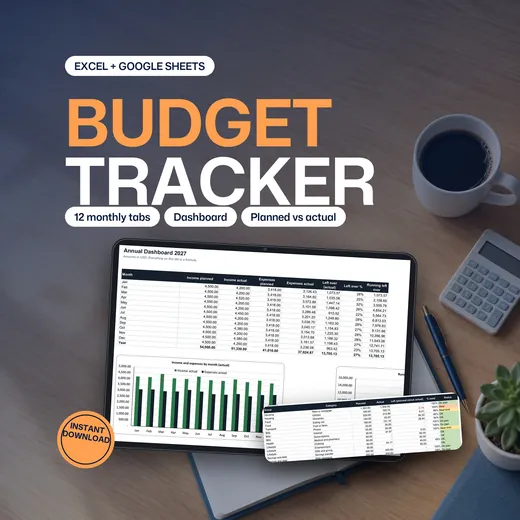
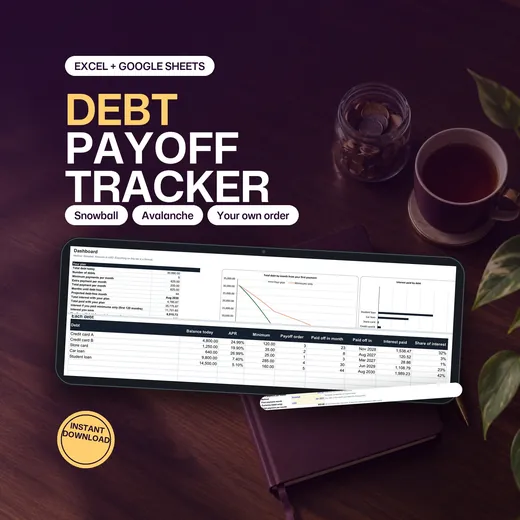
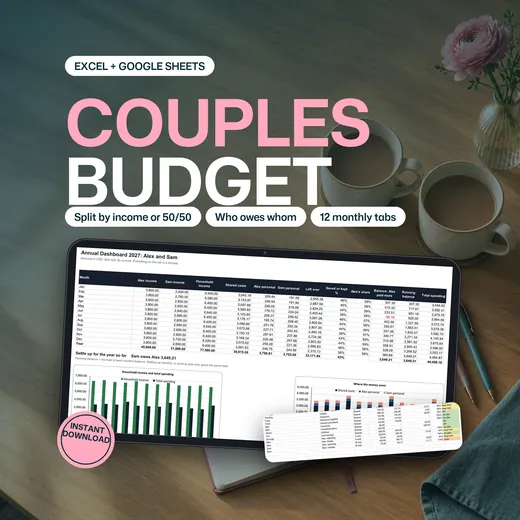
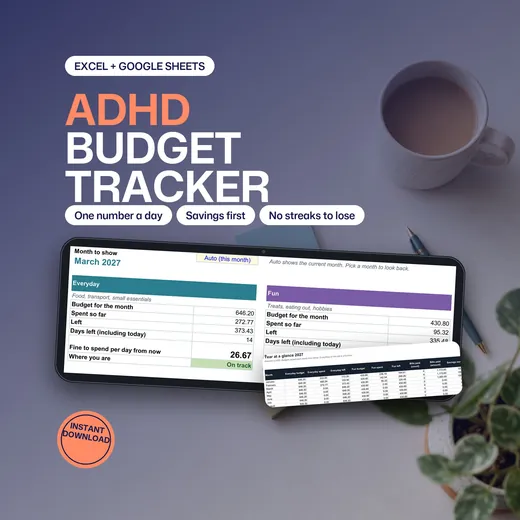
These six budget and tracker spreadsheets work in Excel and Google Sheets. They cover an annual budget, a debt payoff plan, a couples budget with settle-up, an ADHD-friendly budget, a yearly habit tracker and a meal planner with an automatic grocery list. Each comes as a blank workbook and an example-filled workbook with a 4-page guide, and uses ordinary formulas and no macros.
- A blank copy and an example copy of every workbook, plus a 4-page guide
- Ordinary formulas and no macros, so they run in Excel and Google Sheets
- No bank connection: you type or paste, and the workbook does the maths
- 6
- spreadsheets
- 12
- monthly tabs in the budgets
- 0
- macros
- $5.99
- starting price on Etsy
The Six Spreadsheets
Each has its own page with the tabs to look at, the limits and the price on Etsy.
-
Annual Budget Spreadsheet
One transaction log feeds twelve monthly tabs and an annual dashboard, planned against actual.
$9.99Ink and Index shop
-
Debt Payoff Spreadsheet
Snowball, avalanche or your own order, with the debt-free month and the interest you save.
$5.99Ink and Index shop
-
Couples Budget Spreadsheet
Shared costs split by a rule you choose, personal money kept apart and a monthly settle-up line.
$6.99Ink and Index shop
-
ADHD Budget Spreadsheet
Three buckets and one number a day, with a Today tab that shows what is fine to spend.
$5.99Ink and Index shop
-
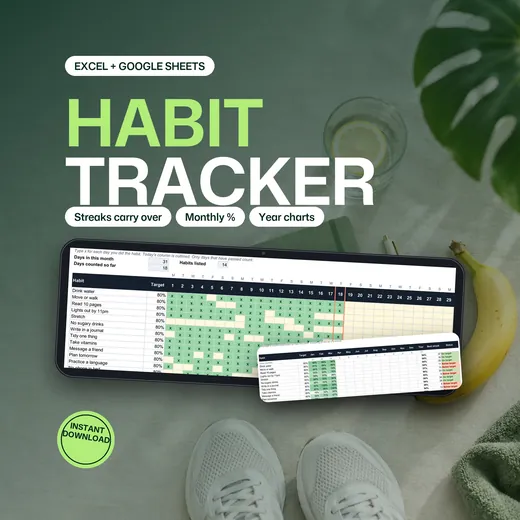
Yearly Habit Tracker Spreadsheet
A daily grid for each month with streaks that carry over, percentages and year charts.
$5.99Ink and Index shop
-
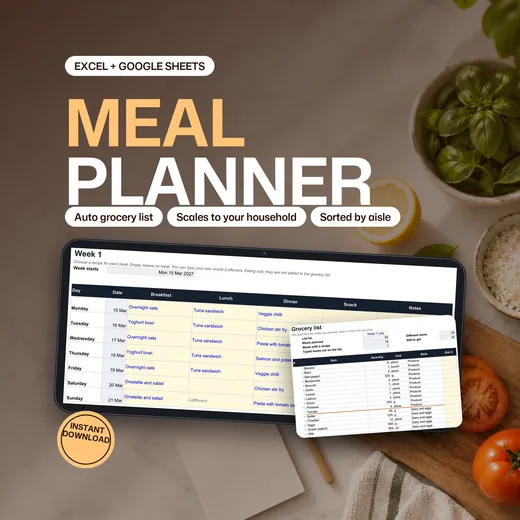
Meal Planner Spreadsheet
Keep recipes, plan two weeks and the grocery list writes itself, sorted by aisle.
$7.99Ink and Index shop
Why a Spreadsheet Beats a Budgeting App for Some People
An app decides how you track. A spreadsheet is yours: no subscription, no bank link and no feature that disappears in an update.
- An app wants your bank login, and you do not want to give it.
- A subscription costs more each year than a spreadsheet costs once.
- The app does not split costs the way you and your partner do.
- You want the numbers in a file you can keep and change.
- A free template has no example to show how it works.
How to Choose a Spreadsheet in Three Questions
Start with the question you need answered.
Is it money, debt or time?
The annual budget tracks money, the debt payoff plans debt, and the habit tracker and meal planner track time and food.
Is it for one person or two?
The couples budget adds a paid-by column, split rules and a settle-up line.
Do you want the fewest steps?
The ADHD budget asks for one number a day. The annual budget tracks every transaction.
Which Spreadsheet for Which Job
- Track a year of money
- The Annual Budget Spreadsheet.
- Pay off debt
- The Debt Payoff Spreadsheet for snowball, avalanche or a custom order.
- Share money with a partner
- The Couples Budget Spreadsheet settles who owes whom.
- Budget with the fewest steps
- The ADHD Budget Spreadsheet, three buckets and one number a day.
- Keep a habit
- The Yearly Habit Tracker with streaks that carry over.
- Plan meals and shop once
- The Meal Planner with an automatic grocery list.
How the Workbooks Are Built
Every workbook follows one rule: you type in the cells with blue text on yellow, and every other number is a formula. The formulas are ordinary ones such as SUMIFS and IF, so the files run in Excel and in Google Sheets.
AI tools helped write the wording and the code that builds the workbooks, and the results were checked against an independent calculation of the example data. They are record-keeping tools, not financial, tax, medical or accounting advice.
The spreadsheets are sold in the Ink and Index shop on Etsy, and this page lists them. The license is for personal use.
Budget and Tracker Spreadsheets: Frequently Asked Questions
Do these work in Google Sheets?
Yes. Use the link in the PDF guide to make your own copy, or upload the .xlsx to Google Drive and choose File, Save as Google Sheets. Formulas, dropdowns and colors usually carry across, but chart styling can change a little.
Do they connect to my bank?
No. There is no bank connection or automatic import. You type or paste your figures.
What is in each download?
A blank workbook, an example-filled workbook with invented data and a 4-page read-me guide.
Do they use macros?
No. They use ordinary formulas, so they run in Excel and in Google Sheets.
Is it financial advice?
No. They are record-keeping and planning tools, not financial, tax or accounting advice.
How much do they cost, and where can I buy them?
As of 23 October 2026 the spreadsheets cost between $5.99 and $9.99 on Etsy, in the Ink and Index shop. Each page shows its own price.
Was AI used to make them?
Yes. AI tools helped write the wording and the code that builds the workbooks. The results were checked against an independent calculation of the example data.
Pick the Spreadsheet for Your Question
Start with the Annual Budget Spreadsheet if you are not sure.
Planning the year on paper too? The 2027 Printable Planner has monthly focus pages.