
Budget and tracker spreadsheets · Ink and Index
Type each income and expense one time. The twelve monthly tabs and the annual dashboard add everything up for you.
$9.99 on Etsy · instant download · sold by Ink and Index
Works in Excel and Google Sheets. A blank copy and an example-filled copy are included.
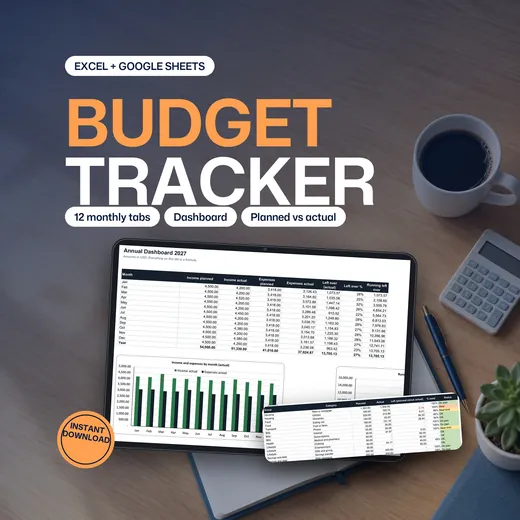
The Annual Budget Spreadsheet is a budget tracker built around one transaction log. You enter each income and expense once, and twelve monthly tabs and an annual dashboard add everything up. It has a log with room for 5,000 rows, up to 10 income sources and 30 expense categories, planned against actual figures and a status for every category. It comes as a blank workbook and an example-filled workbook with a 4-page guide, and it works in Excel and Google Sheets.
- One transaction log feeds twelve monthly tabs and a dashboard
- Planned against actual for every category, with a status: OK, Near limit, On plan or Over
- A blank copy, an example copy and a 4-page guide for Excel and Google Sheets
- 5,000
- transaction rows
- 12
- monthly tabs
- 30
- expense categories
- 10
- income sources
Why a Budget Spreadsheet Falls Apart by March
Most budget sheets make you type the same figure in two places. The month you skip becomes the month the totals stop meaning anything.
- You enter an expense on the monthly tab and again on the summary.
- A category you forgot to set up quietly drops out of the totals.
- A date in the wrong year lands in the wrong month.
- The year view is a separate file you rebuild by hand.
- A free template works until the layout needs to change.
Six Tabs, Each With One Job
Pick a tab to see it. You type only in the cells with blue text on yellow, and every other number is a formula.
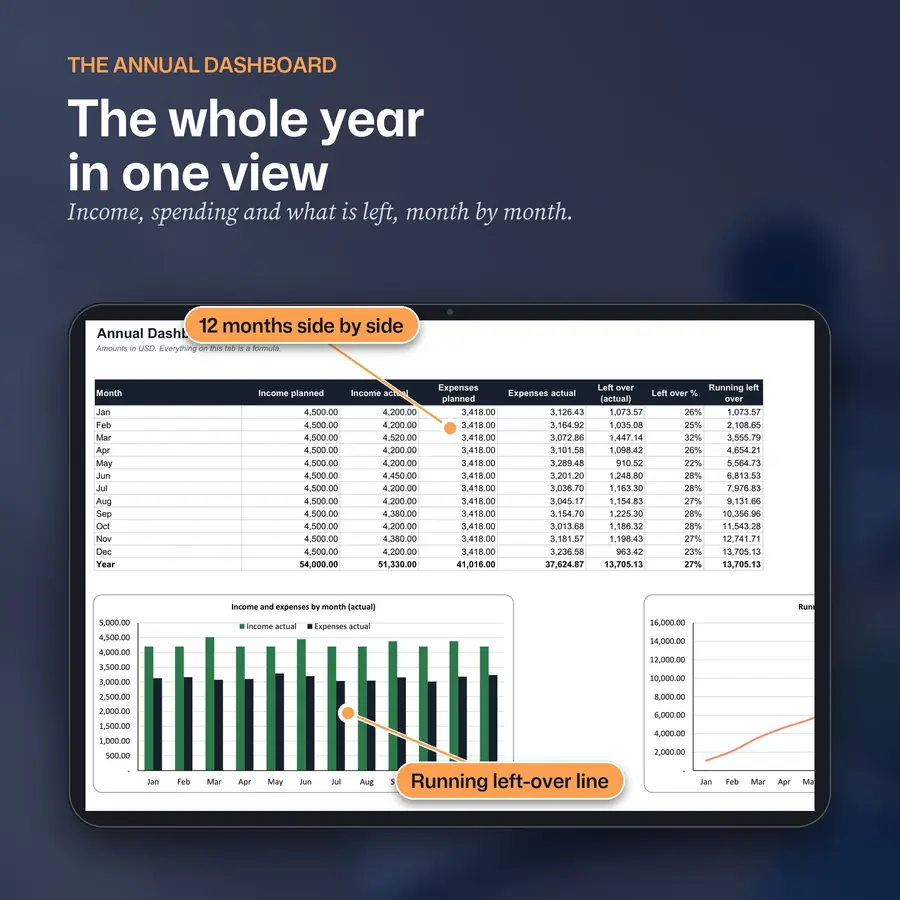
Tab 1 of 6 · the whole year in one view
Annual dashboard
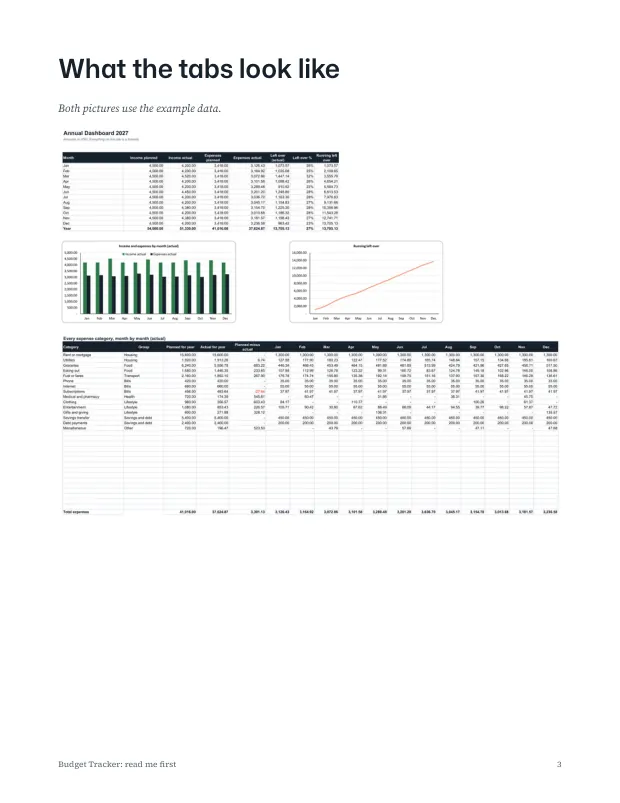
- All twelve months side by side
- A running left-over total
- Two charts, and every category by month
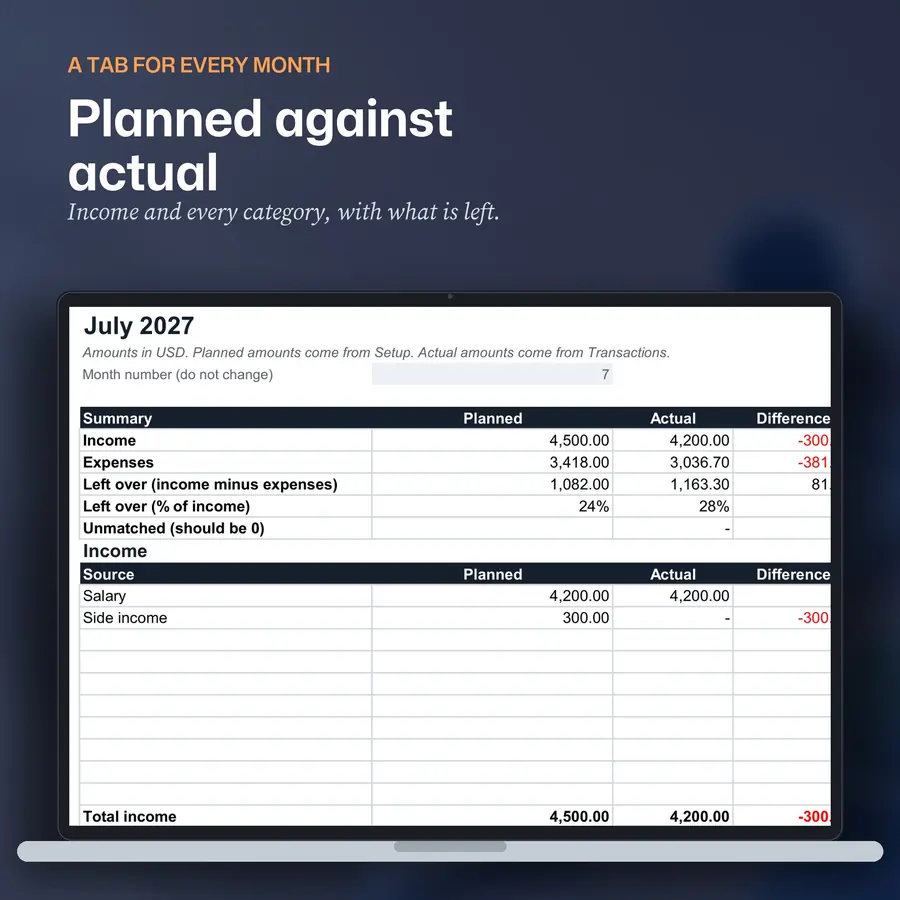
Tab 2 of 6 · planned against actual
A tab for every month
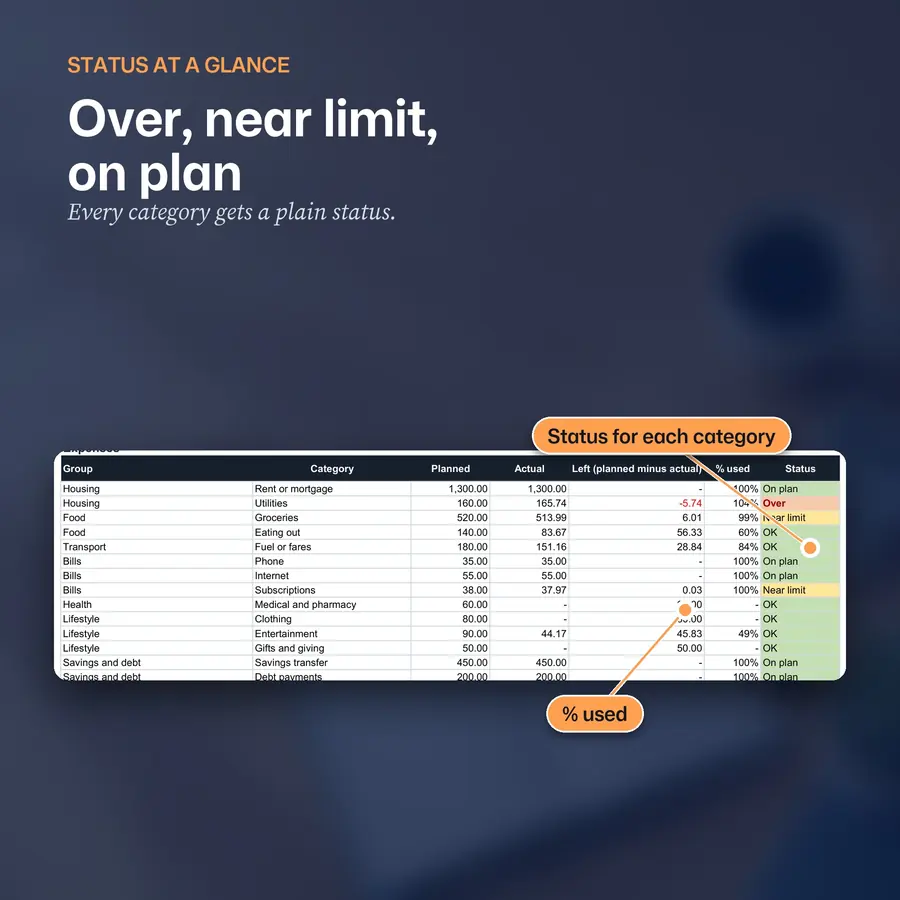
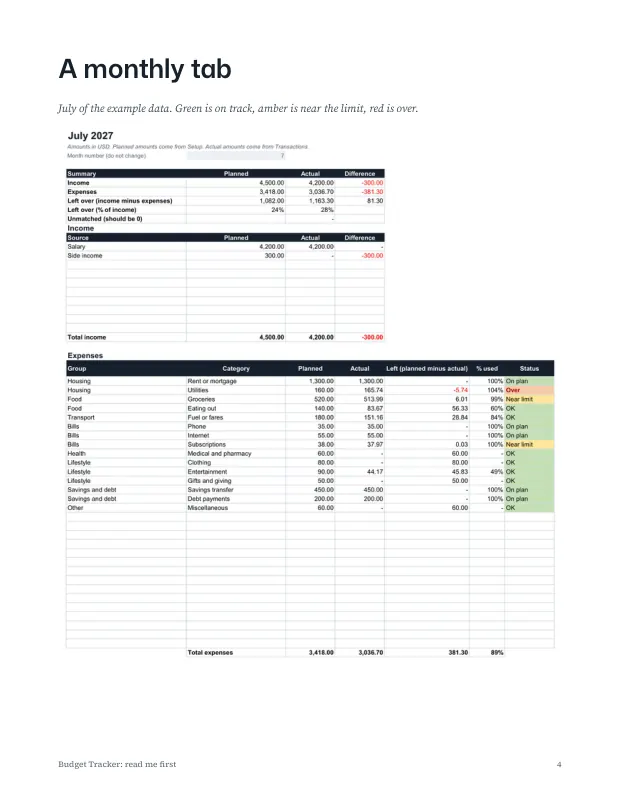
- Income and every category, planned against actual
- What is left, percent used and a status
- A line that should read 0 if every transaction was matched
Tab 3 of 6 · OK, Near limit, On plan, Over
Status at a glance
- Every category shows a plain status
- Only transactions dated in that month of your chosen year are counted
- Amounts show no currency symbol, so any currency works
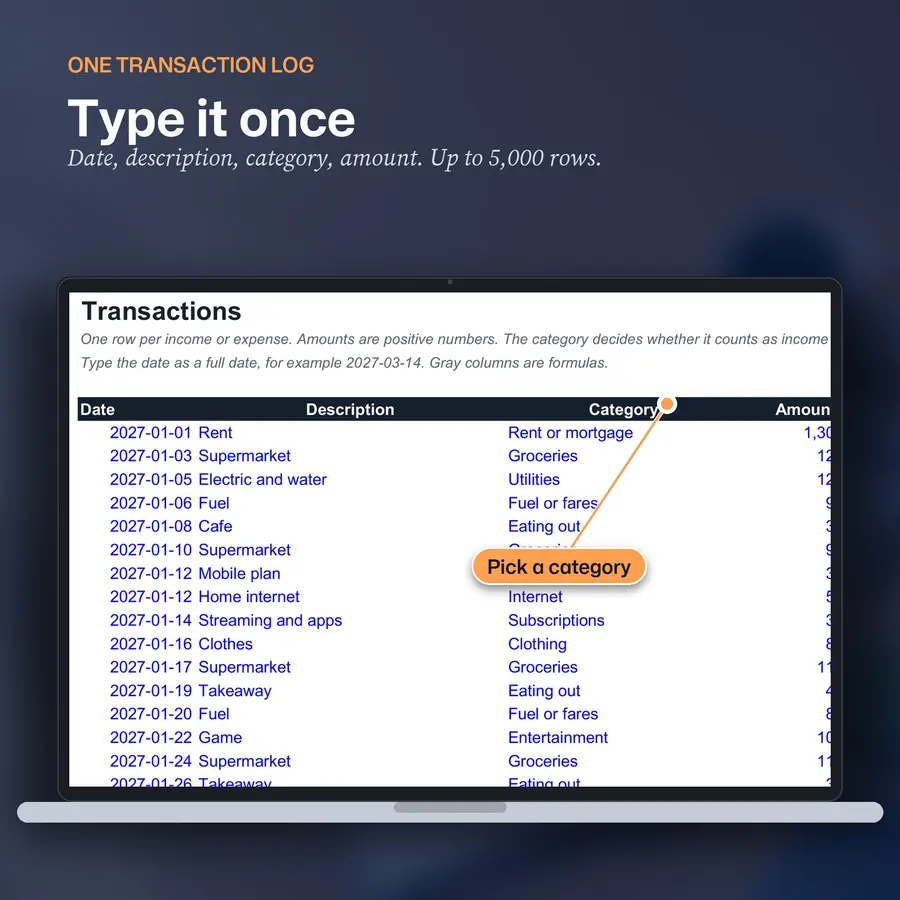
Tab 4 of 6 · type it once
One transaction log
- Date, description, category from a dropdown and amount
- Room for 5,000 rows
- A Check column flags a category not on Setup or a date in another year
Tab 5 of 6 · set it up once
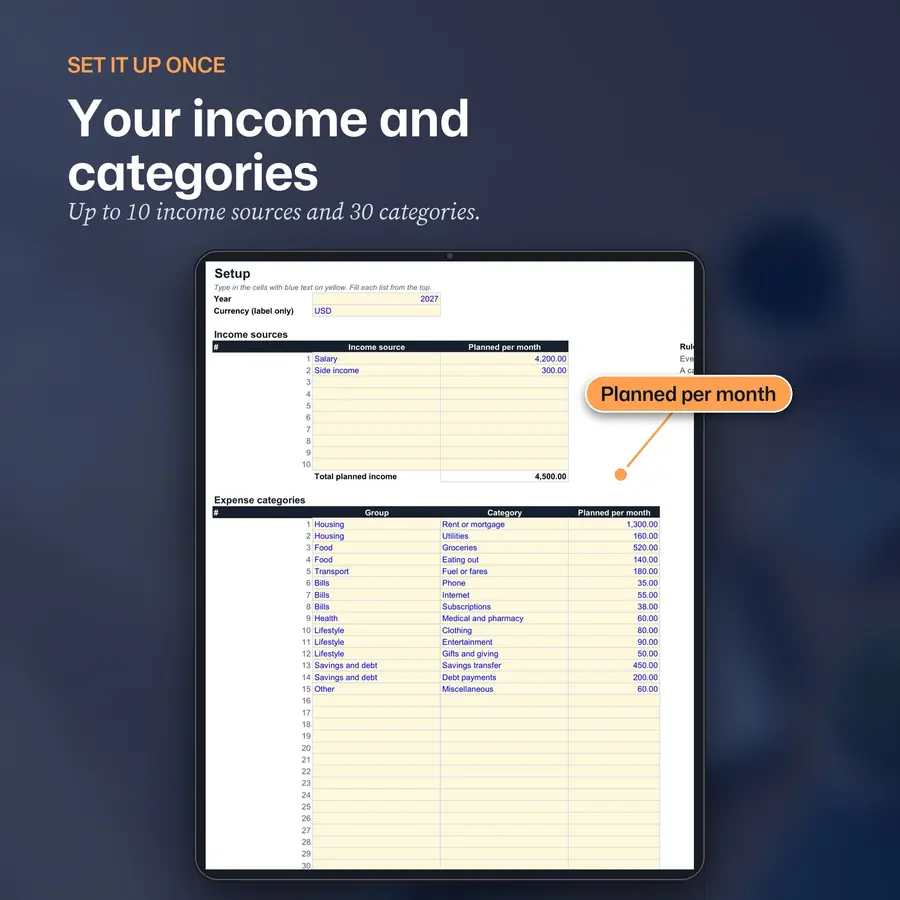
Income and categories
- The year, up to 10 income sources and 30 expense categories
- A planned amount for each category
- Change the year to reuse the workbook
Tab 6 of 6 · see where it goes
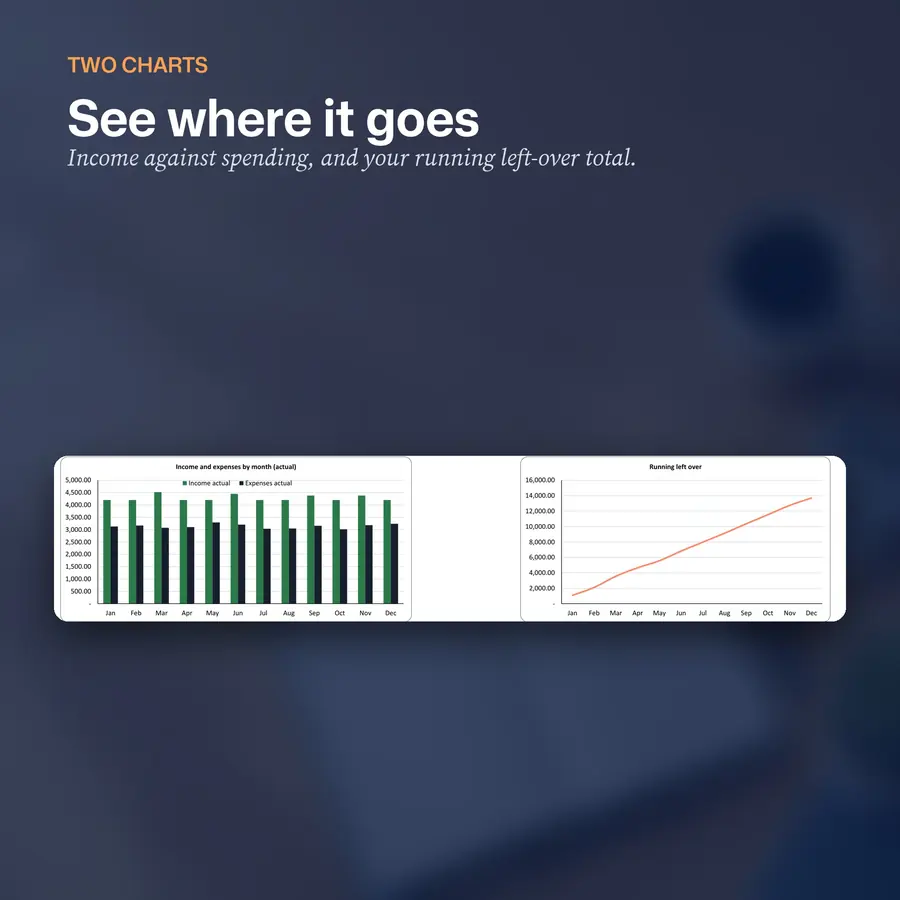
Two charts
- Spending and the running left-over total
- Built from the dashboard figures
- Chart styling can change a little in Google Sheets
$9.99 on Etsy · instant download · sold by Ink and Index
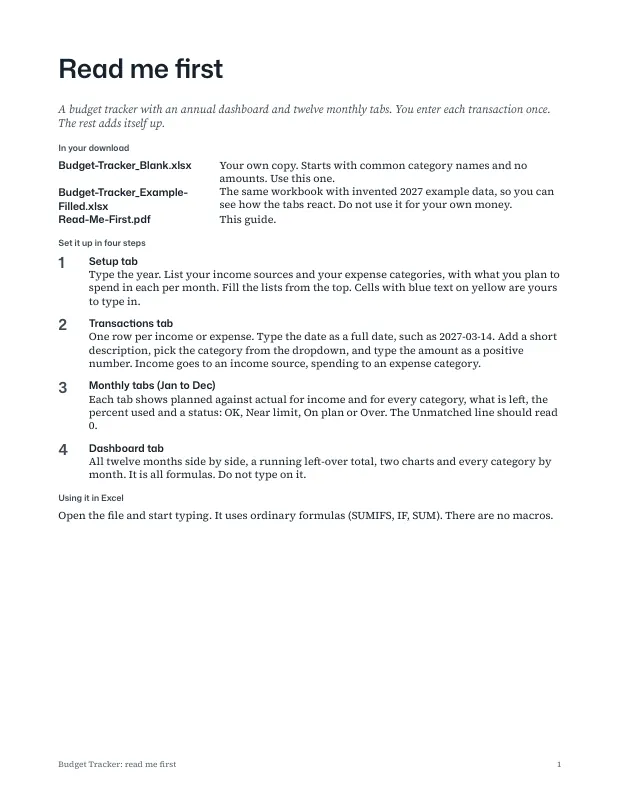
Read the guide first
1 / 5
How to Use the Budget Spreadsheet in Five Steps
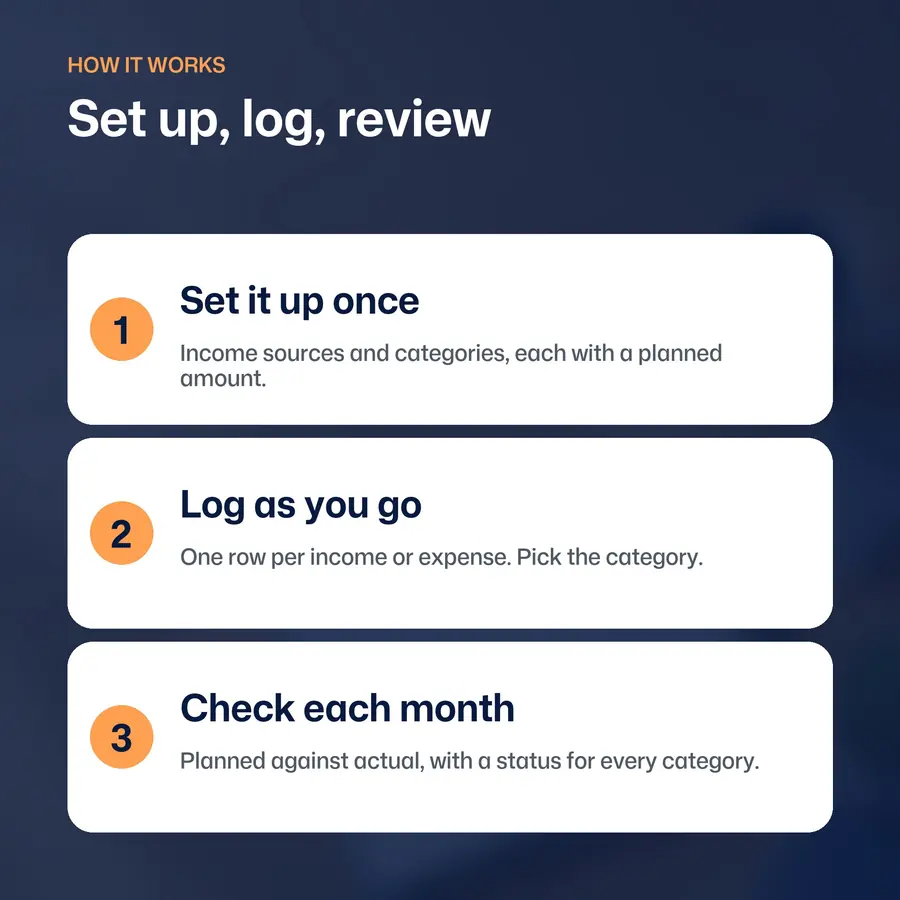
Start with the blank copy. Keep the example copy open to see how a finished year looks.
-
Open the blank workbook
Use Excel, or make your own copy in Google Sheets from the link in the PDF guide.
-
Fill in Setup once
Type the year, your income sources and your expense categories with a planned amount for each.
-
Log as you go
Add one row for each income or expense: date, description, category and amount.
-
Check each month
Open the monthly tab and read the status for each category. The check line should read 0.
-
Look at the year
Open the Dashboard for all twelve months side by side and the two charts.
What Is Inside the Annual Budget Spreadsheet
- Start Here and Setup
- Plain steps, a color key and the limits, then the year, up to 10 income sources and up to 30 expense categories with a planned amount for each.
- A transaction log
- One log with room for 5,000 rows and a Check column that flags a category not on Setup or a date in another year.
- Twelve monthly tabs
- Planned against actual for income and every category, what is left, percent used and a status, plus a line that should read 0.
- An annual dashboard
- All twelve months side by side, a running left-over total, two charts and every category by month.
- A blank and an example workbook
- The example is filled with invented 2027 data so you can see how it works.
- A 4-page guide
- How to use the workbook in Excel and Google Sheets.
Which budget spreadsheet fits?
| Compare | Annual Budget | Couples Budget | ADHD Budget |
|---|---|---|---|
| For | One person, a full year | Two people, shared costs | Fewest steps, one number a day |
| You enter | Every income and expense once | Each with who paid | Everyday spending once a day |
| Monthly view | 12 tabs, planned against actual | 12 tabs with a settle-up line | A Today tab and a Year tab |
| Page | You are here | Couples Budget | ADHD Budget |
Where to buy, and what each store sells
| Store | Price | Includes | Buy |
|---|---|---|---|
| Etsy | $9.99 | Blank and example-filled .xlsx workbooks and a 4-page guide for Excel and Google Sheets | Buy on Etsy |
Prices checked 23 October 2026. Each store shows its own refund terms at checkout.
One Log, Everything Else Is a Formula
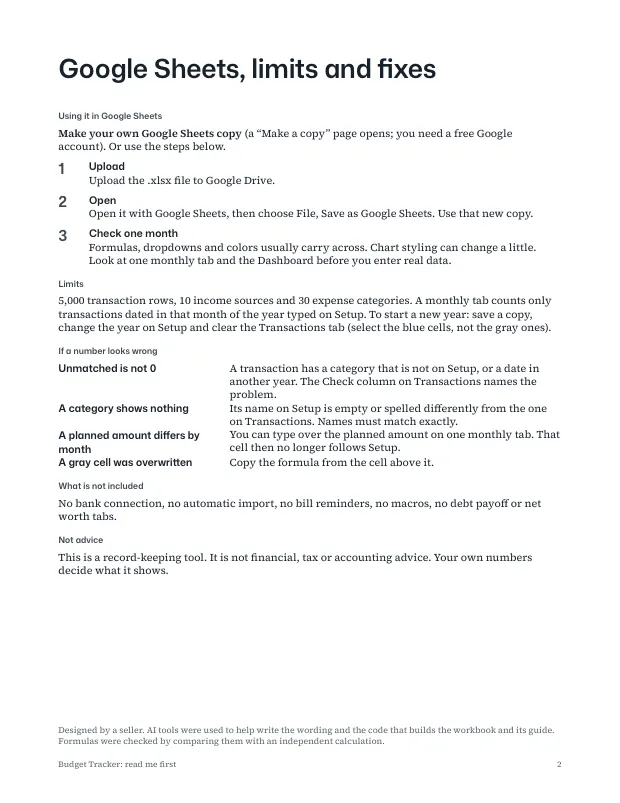
You type in the cells with blue text on yellow. Every other number is a formula. The monthly tabs count only transactions dated in that month of the year you type on Setup, so changing the year reuses the workbook for another year.
There is no bank connection, no automatic import, no bill reminders and no macros, and there are no debt payoff or net worth tabs. The workbook does not move money or give advice. It is a record-keeping tool, not financial, tax or accounting advice.
AI tools were used to help write the wording and the code that builds the workbook, the guide, the pictures and the video. The workbook's results were checked against an independent calculation of the example data. Personal use. Please do not resell, share or upload the files.
What You Download
Three files: a blank workbook, an example-filled workbook and a 4-page read-me guide. It uses ordinary formulas (SUMIFS, IF, SUM) and no macros.
- 3
- files
- 12
- monthly tabs
- 0
- macros
Limits: 5,000 transaction rows, 10 income sources and 30 expense categories.
Annual Budget Spreadsheet: Frequently Asked Questions
What is the Annual Budget Spreadsheet?
A budget tracker built around one transaction log. You enter each income and expense once, and twelve monthly tabs and an annual dashboard add everything up.
Does it work in Google Sheets?
It uses ordinary formulas and no macros, so it runs in Excel and in Google Sheets. In Google Sheets, use the link in the PDF guide to make your own copy, or upload the .xlsx to Google Drive, open it and choose File, Save as Google Sheets. Formulas, dropdowns and colors usually carry across, but chart styling can change a little, so check the main tabs after you import.
Does it connect to my bank?
No. There is no bank connection and no automatic import. You type or paste each transaction.
Does it work in my currency?
Yes. Amounts are shown without a currency symbol, so it works in any currency.
Can I reuse it next year?
Yes. Change the year on the Setup tab and the monthly tabs count only transactions dated in that year.
What are the limits?
5,000 transaction rows, 10 income sources and 30 expense categories.
What do I get when I buy it?
Three files: a blank workbook, an example-filled workbook with invented 2027 data, and a 4-page guide.
How much does it cost, and where can I buy it?
As of 23 October 2026 it costs $9.99 on Etsy. The table above shows what the store sells.
More questions
Does it have a debt payoff tab?
No. For a payoff plan, see the Debt Payoff Spreadsheet.
How is it different from the couples budget?
The annual budget is for one person. The couples budget adds a paid-by column, split rules and a settle-up line.
Is this financial advice?
No. It is a record-keeping tool. It is not financial, tax or accounting advice.
Was AI used to make it?
AI tools were used to help write the wording and the code that builds the workbook, the guide, the pictures and the video. The workbook's results were checked against an independent calculation of the example data.
Can I share the files?
Use them for yourself. Personal use. Please do not resell, share or upload the files.
What if a file will not open?
Email the address on the contact page. If a file will not open or is not what the listing describes, it gets fixed or replaced.
Set Up Your Budget This Weekend
Open the blank workbook, fill in Setup and log the first week. The spreadsheet is an instant download. If you share money with a partner, see the Couples Budget Spreadsheet.
$9.99 on Etsy · instant download · sold by Ink and Index
Paying down debt? The Debt Payoff Spreadsheet shows the debt-free month.